
WINDOWS双网卡联网配置
-

-
Sol.Sun 这家伙很懒,还没有设置简介
0 人点赞了该文章 · 5432 浏览
需求描述:
计算机的两个接口分别连接了两台无线路由器,发往往站点A ,IP地址为80.0.0.1 的数据由“本地连接”网卡转发。发往站点B,IP地址为 60.0.0.1 的数据由“本地连接2”转发。
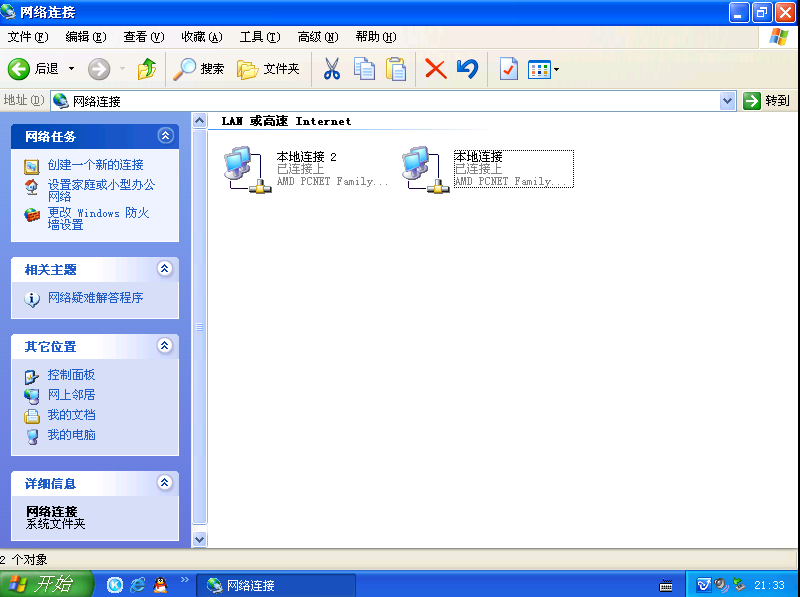
1、打开本地连接设置IP地址
本地连接
IP地址 :192.169.2.163/255.255.255.0
网关 :192.169.2.1
路由器的LAN接口为192.169.2.1/255.255.255.0
本地连接2
IP地址 192.168.2.10/255.255.255.0
网关:192.168.2.1
路由器LAN接口为192.168.2.1/24。
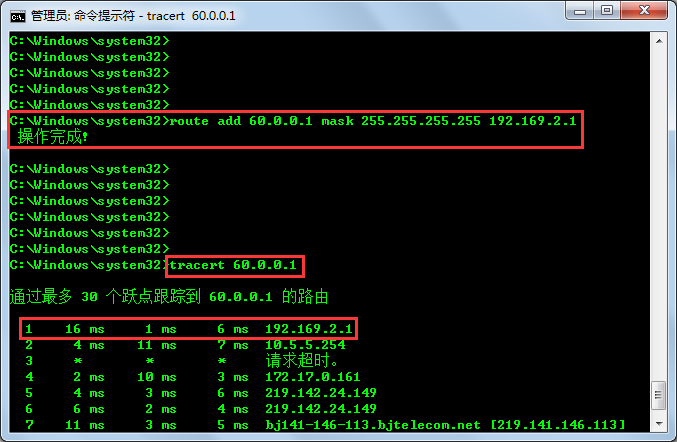
 2、在CMD中添加去60.0.0.1静态路由,由本地连接2转发:
route add 60.0.0.1 mask 255.255.255.255 192.169.2.1
若填写60.0.01后正常路由则不用添加80.0.01,若添加后任然有问题, 则添加route add 80.0.0.1 mask 255.255.255.255 192.168.2.1。
进行路由探测 C:\Users\InHand>tracert 60.0.0.1
2、在CMD中添加去60.0.0.1静态路由,由本地连接2转发:
route add 60.0.0.1 mask 255.255.255.255 192.169.2.1
若填写60.0.01后正常路由则不用添加80.0.01,若添加后任然有问题, 则添加route add 80.0.0.1 mask 255.255.255.255 192.168.2.1。
进行路由探测 C:\Users\InHand>tracert 60.0.0.1
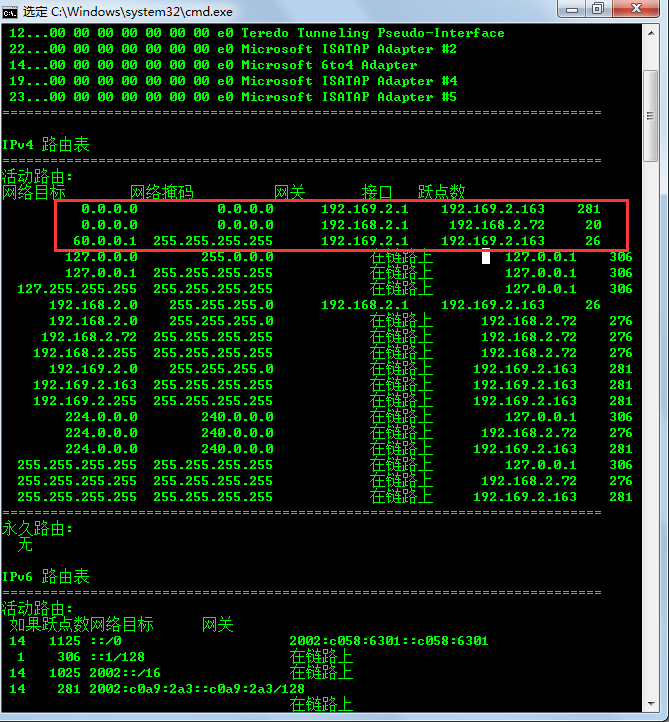
 检查路由命令 C:\Users\InHand> route print
 Tracert 80.0.0.1 检查链路选择是否正确。
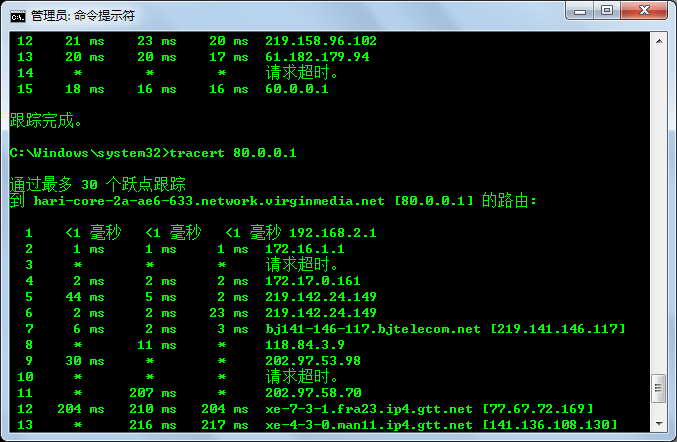 该操作方式目的是根据目的地址进行路由选择转发。


全部 0条评论