IR615配置Wi-Fi STA模式联网

yandongjie
yandongjie This guy is lazy,Introduction has not been set

0 People liked this article · 5622 views

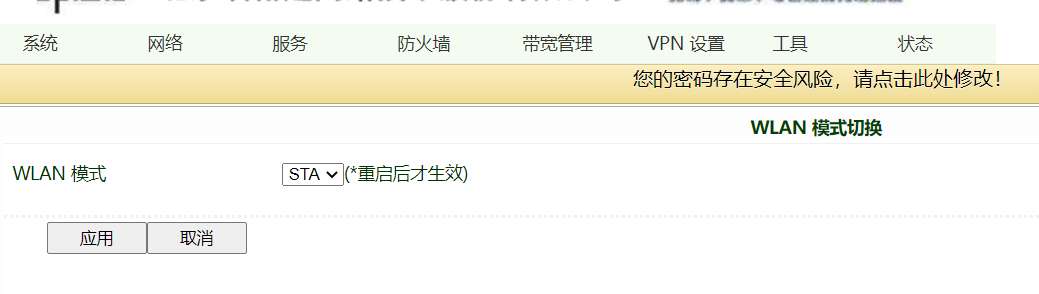
1)选择网络》WLAN模式切换》选择模式为sta
5f3deb9e042a0.jpg
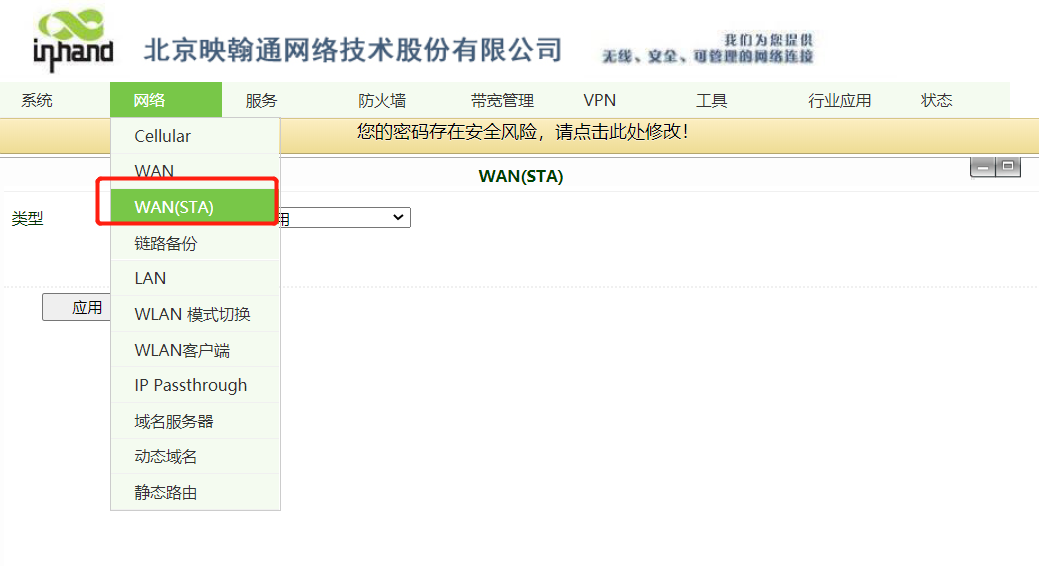
2)重启系统(系统>>重启系统),重启后选择网络》wan(sta)端口
5f3deb9e21b7e.jpg
3)配置wan(sta)接口
5f3deb9e3d1b7.jpg
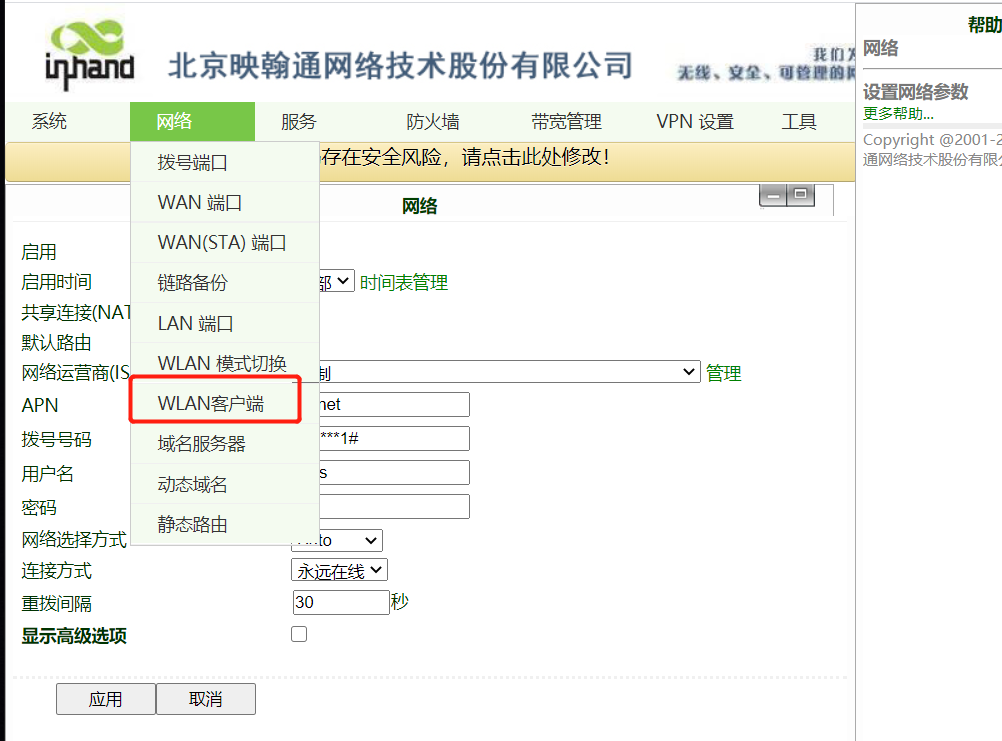
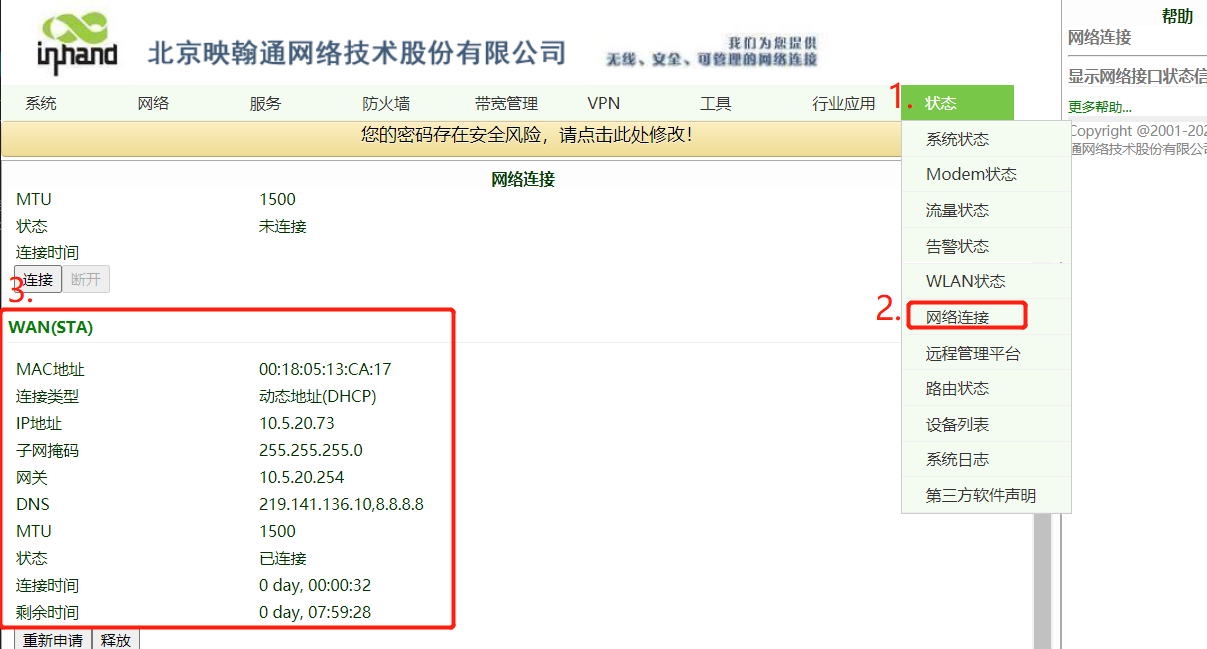
4)选择WLAN客户端
5f3deb9e571bd.jpg
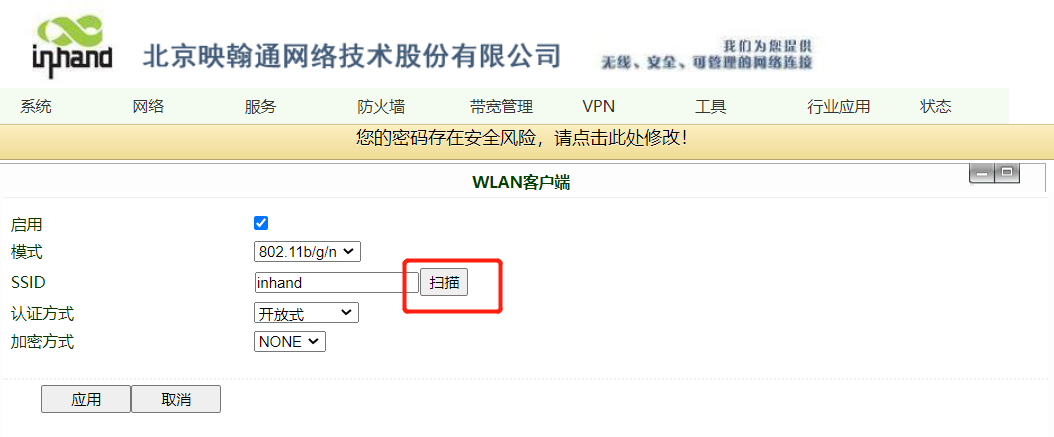
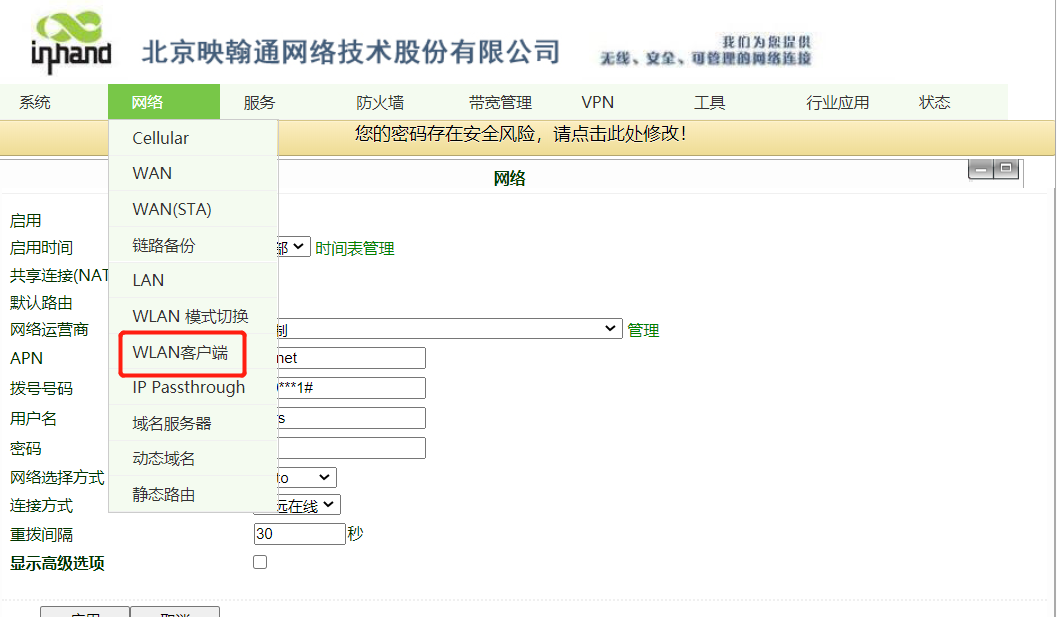
5)配置WLAN客户端,选择网络》wlan客户端,选择启用后,点击扫描按钮。
5f3deb9e701dc.jpg
5f3deb9e86a8e.jpg
选择你需要连接的无线网络,这里以inhand-office为例,点击连接
5f3deb9e9f675.jpg
输入无线网络密码,点击应用按钮
5f3deb9eaf883.jpg
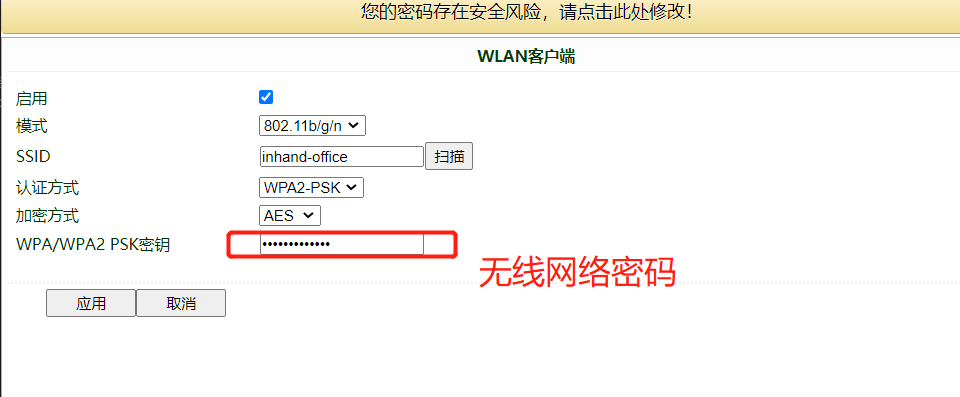
选择状态》网络连接,查看WAN(sta)获取到的地址情况。
5f3deb9ec653f.jpg
测试
5f3deb9eda1a3.jpg
 

Published on 2020-08-20 11:23

Disclaimers:

This document is written by yandongjie Original published on 技术社区 ,The copyright belongs to the author。

Log in,More exciting content waiting for you to find,Contribute wonderful answers,Participate in comment interaction

go Sign in! No accountgoregister

Related articles

IR900-AP-STA 配置
IR900-GRE配置
IR900 接口备份配置
IR900双SIM卡备份配置
IR611S-STA
InRouter 与 H3C Router 构建 IPSEC VPN配置指导
IR615路由器连DT平台教程
IR600 系列CLI保存配置
如何自建MQTT服务器?详细配置及实例

Recommended content

article IR900-AP-STA 配置
article Tech Support- How to enable and set up WiFi function in IR915L
article 怎样使用IR900连接WiFi上网呢??
article 路由器如何添加到DM网管平台
article 两台IR615和华为USG6335E建IPsecVPN
article IR900 Wi-Fi 联网如何配置?
article VG710设置WIFI客户端模式无法保存问题解决方法
article IG 配置连接Wi-Fi 连网
article IR600 AP-WDS中继模式