
北京映翰通IR700与SSG5防火墙建立VPN模板
-

-
Sol.Sun 这家伙很懒,还没有设置简介
0 人点赞了该文章 · 5055 浏览
防火墙配置
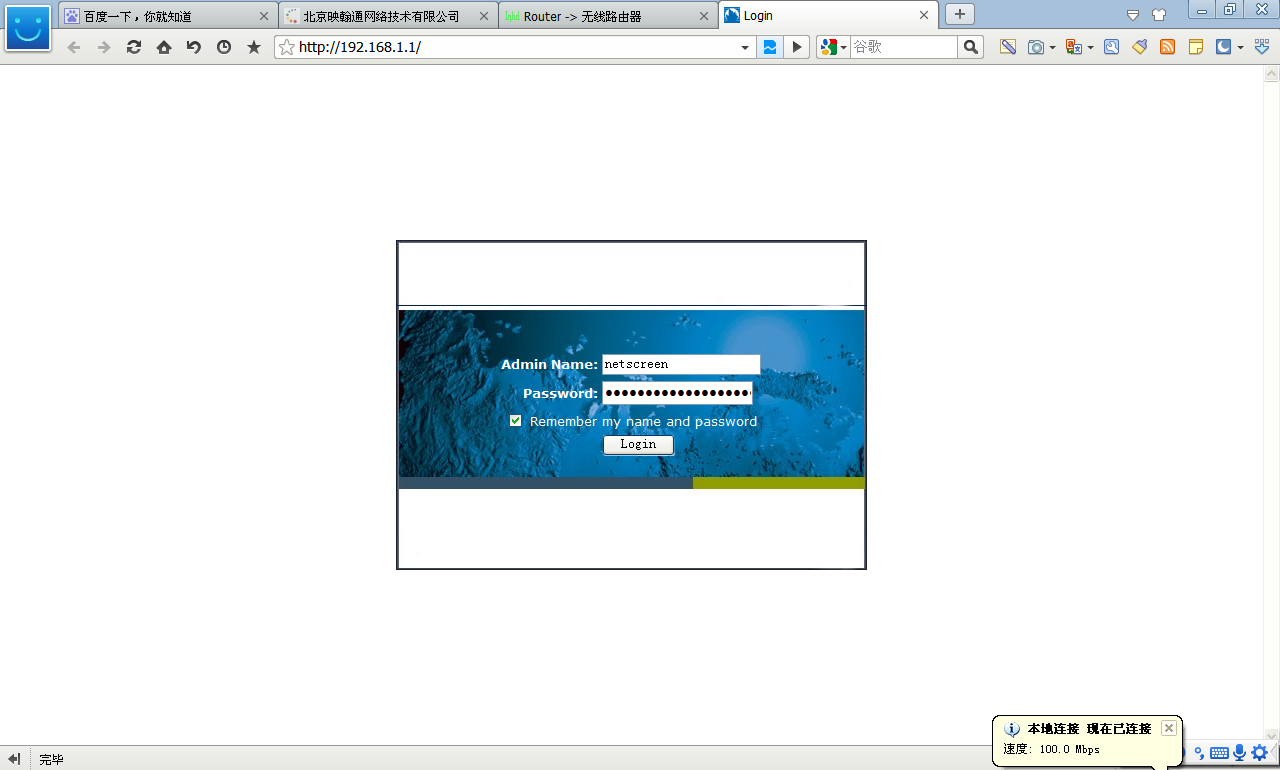
登录用户名和密码:netscreen/netscreen
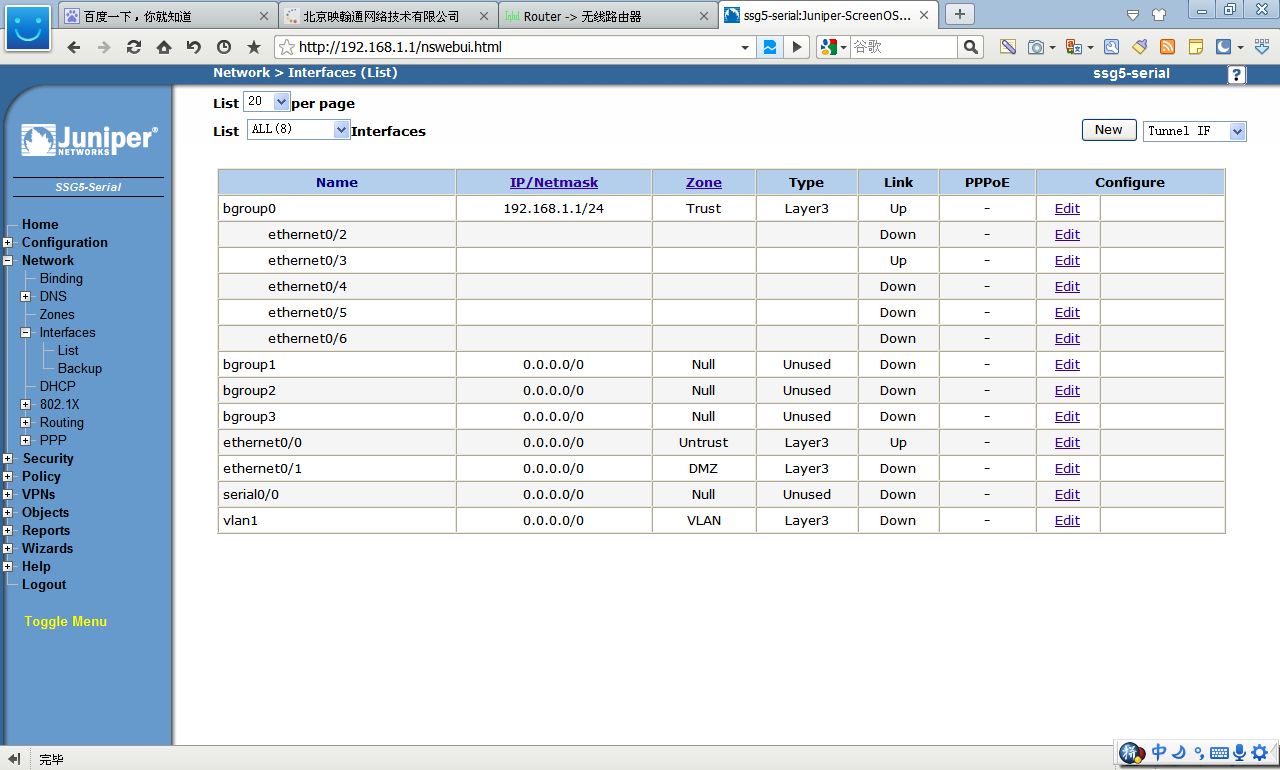
 设置WAN接口
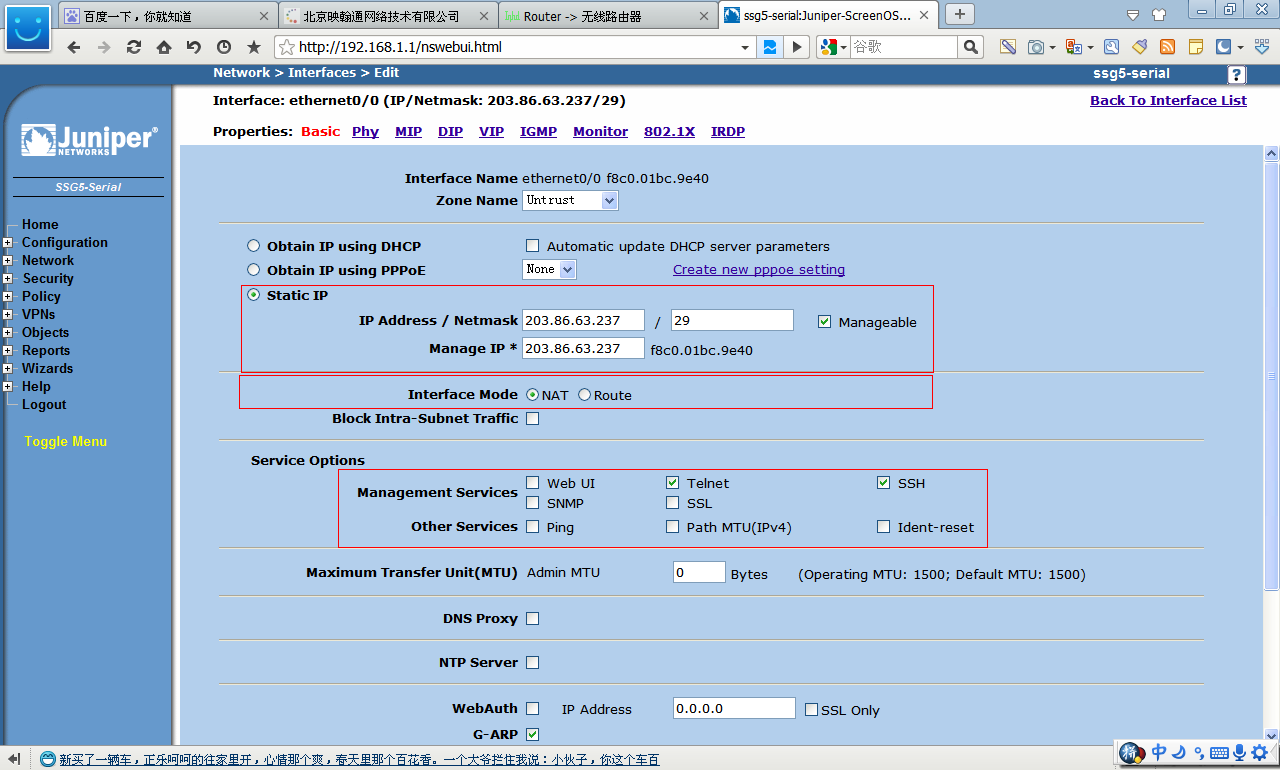
 编辑“ethernet0/0”接口
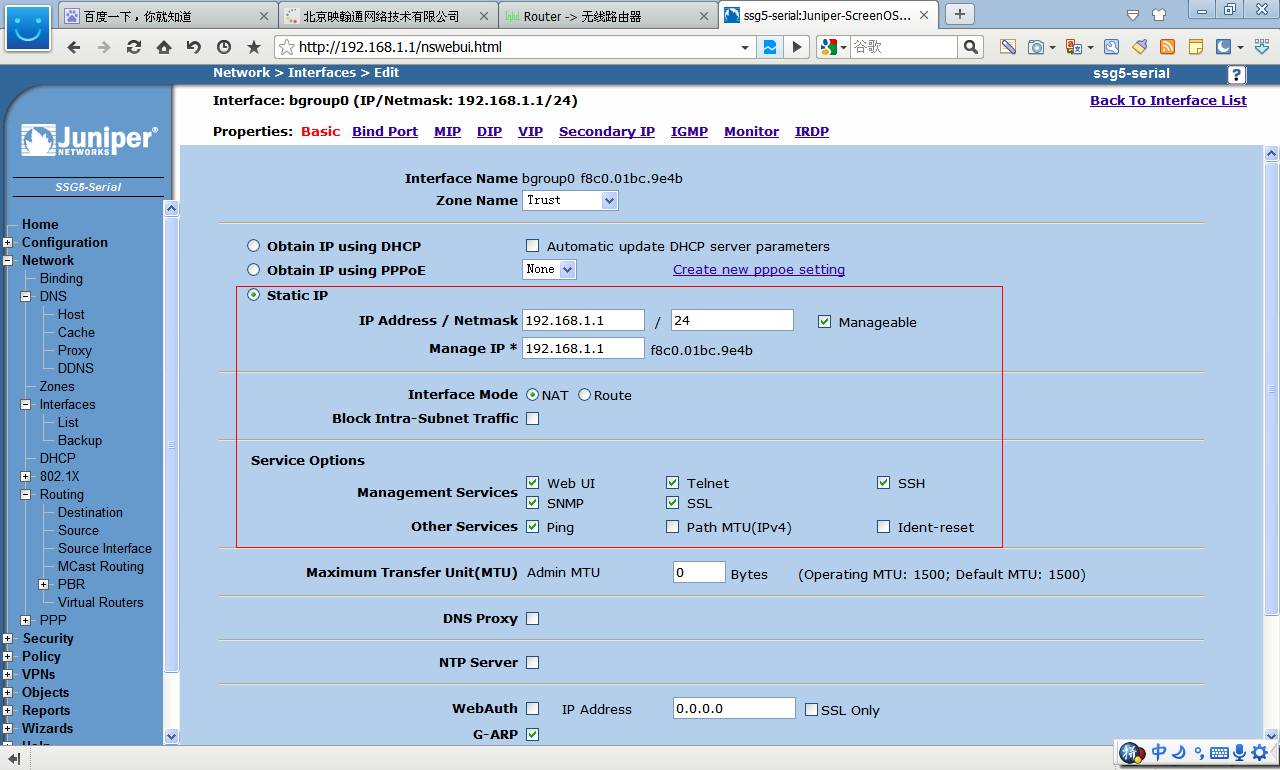
 设置LAN接口
编辑“bgroup0”
设置LAN接口
编辑“bgroup0”
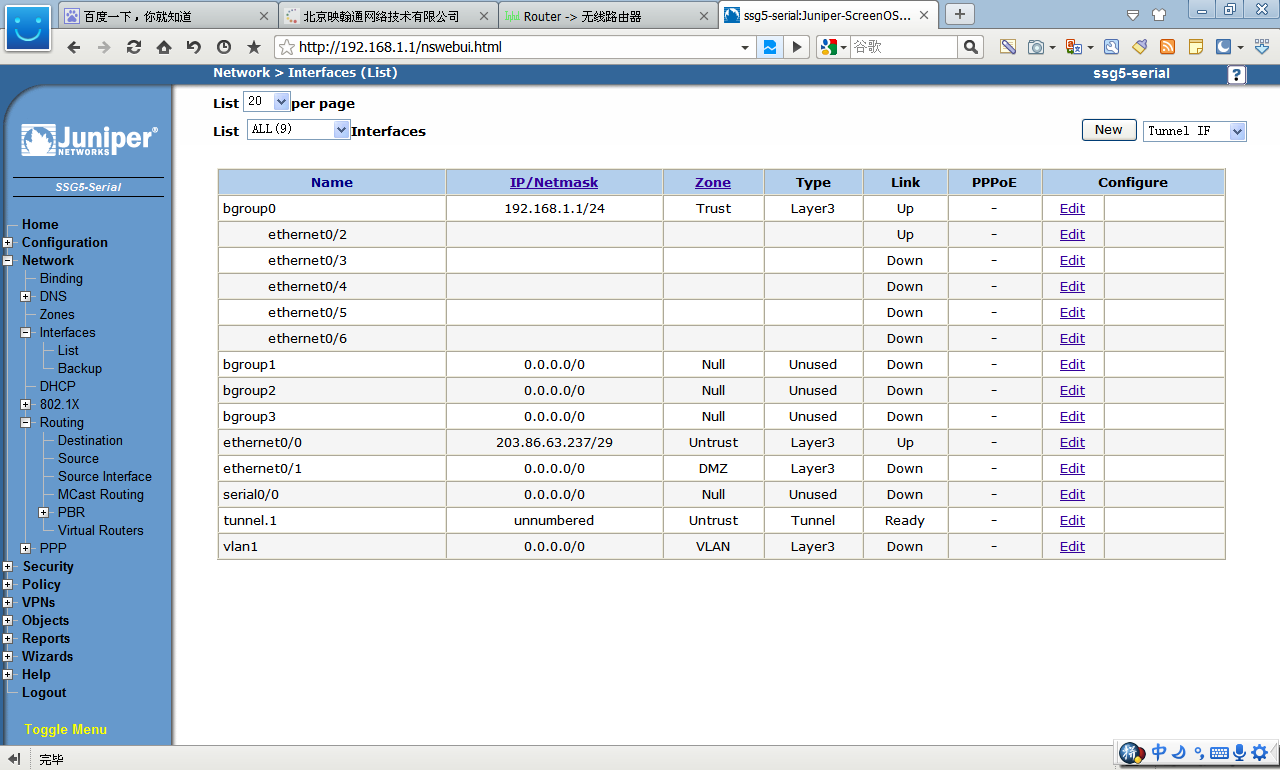
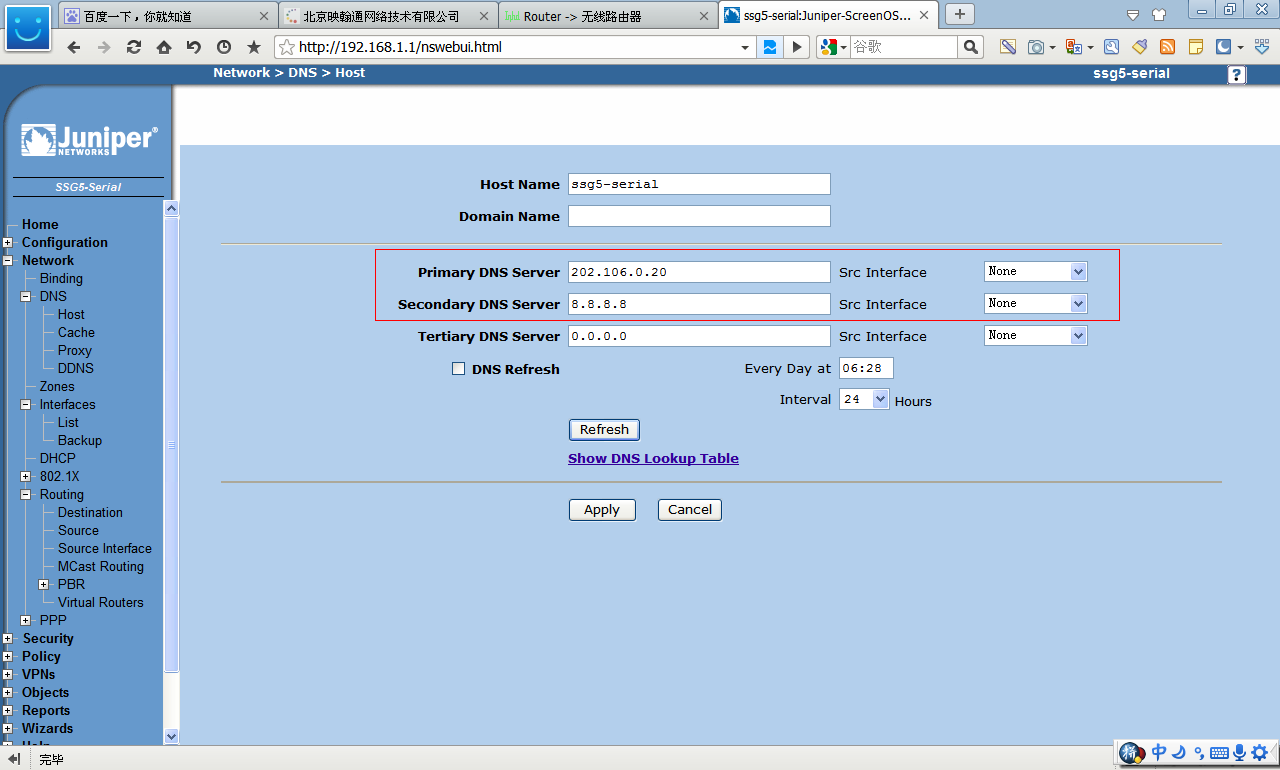
 设置DNS
设置DNS
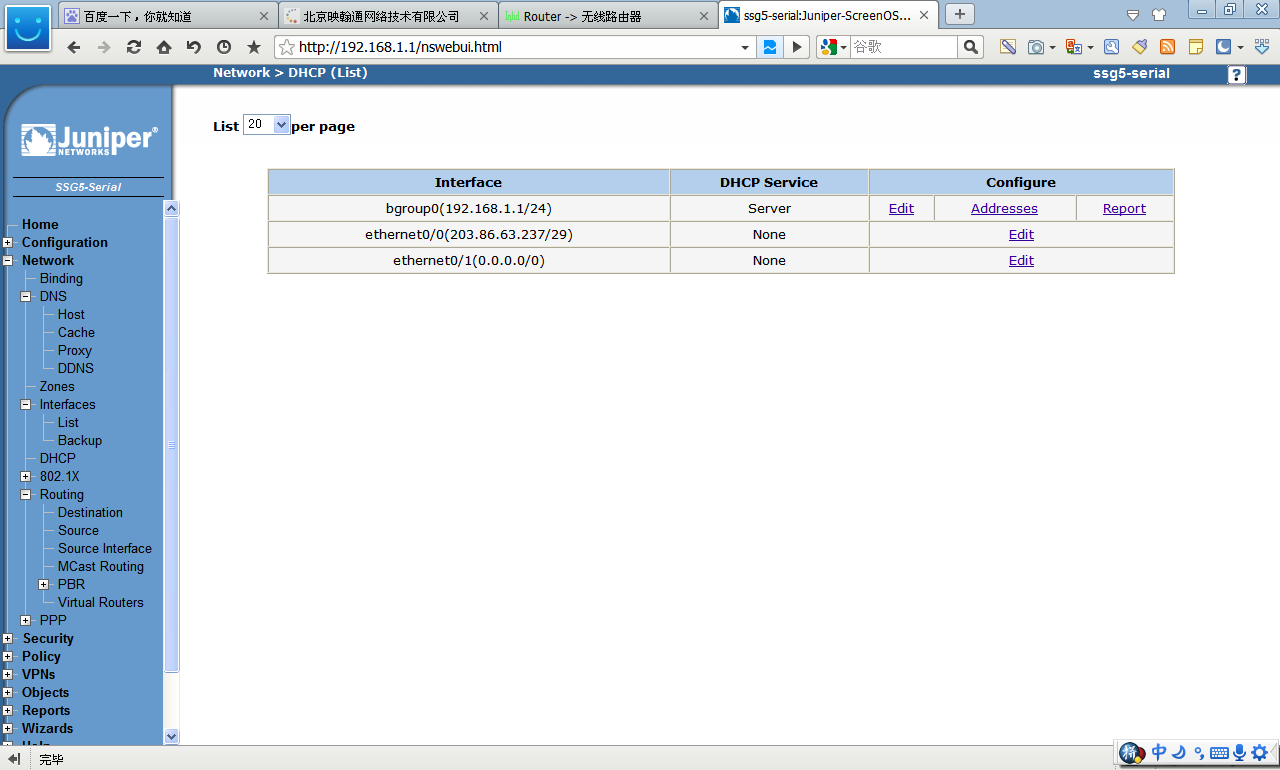
 设置DHCP
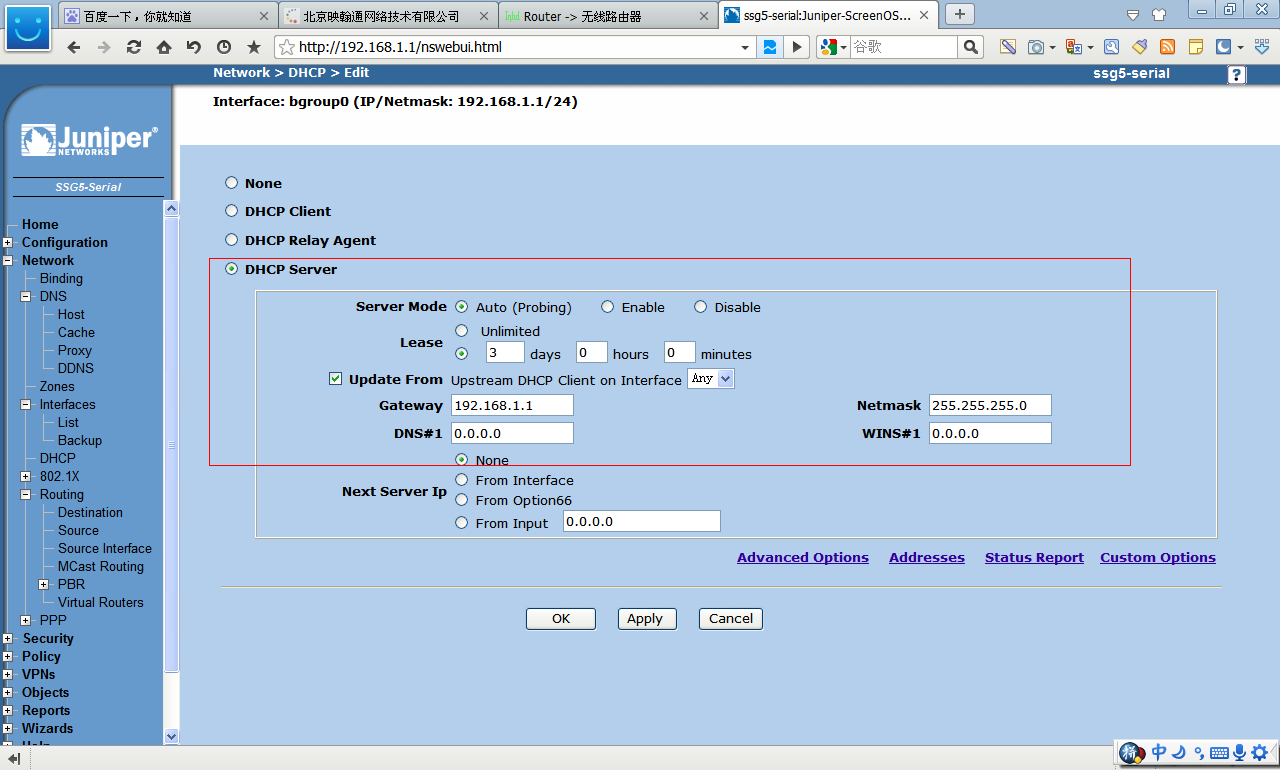
 点击编辑“broup0”
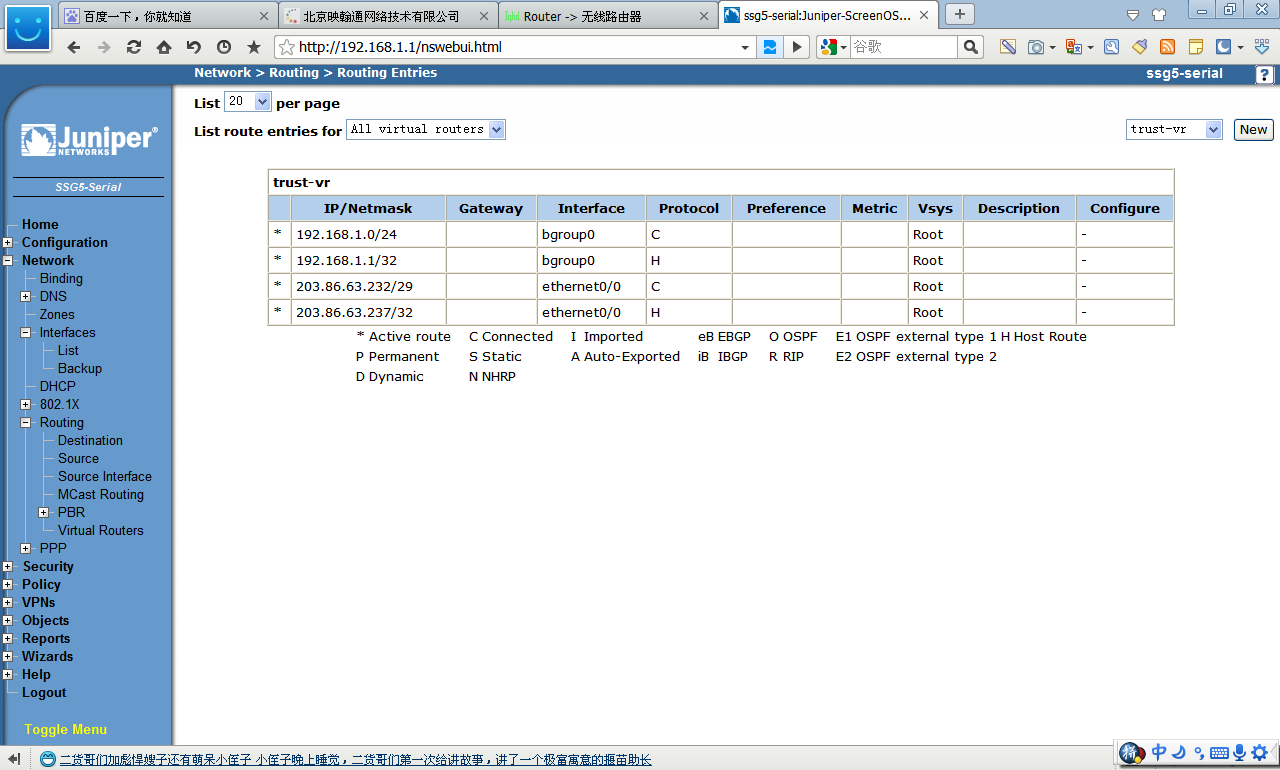
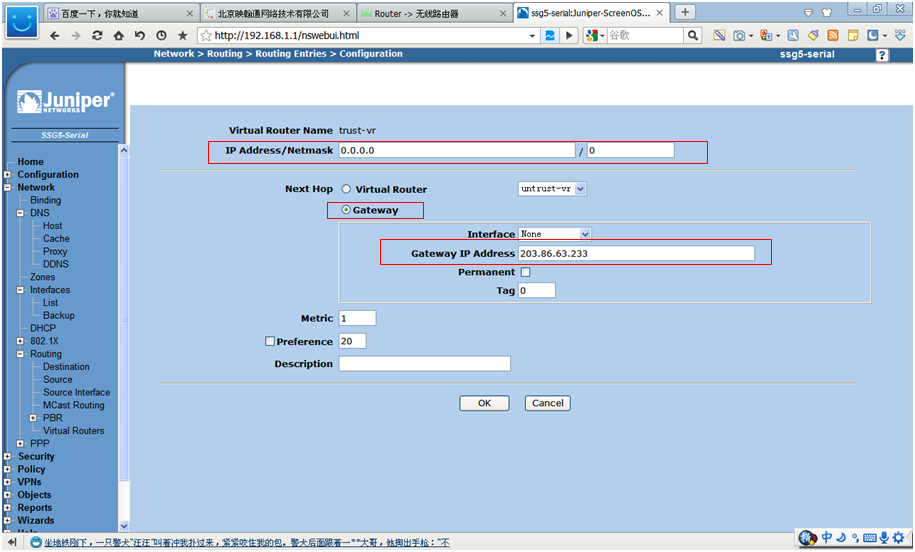
 设置路由
设置路由
 IPSEC VPN
1建立tunuls
Network-interface-list
IPSEC VPN
1建立tunuls
Network-interface-list
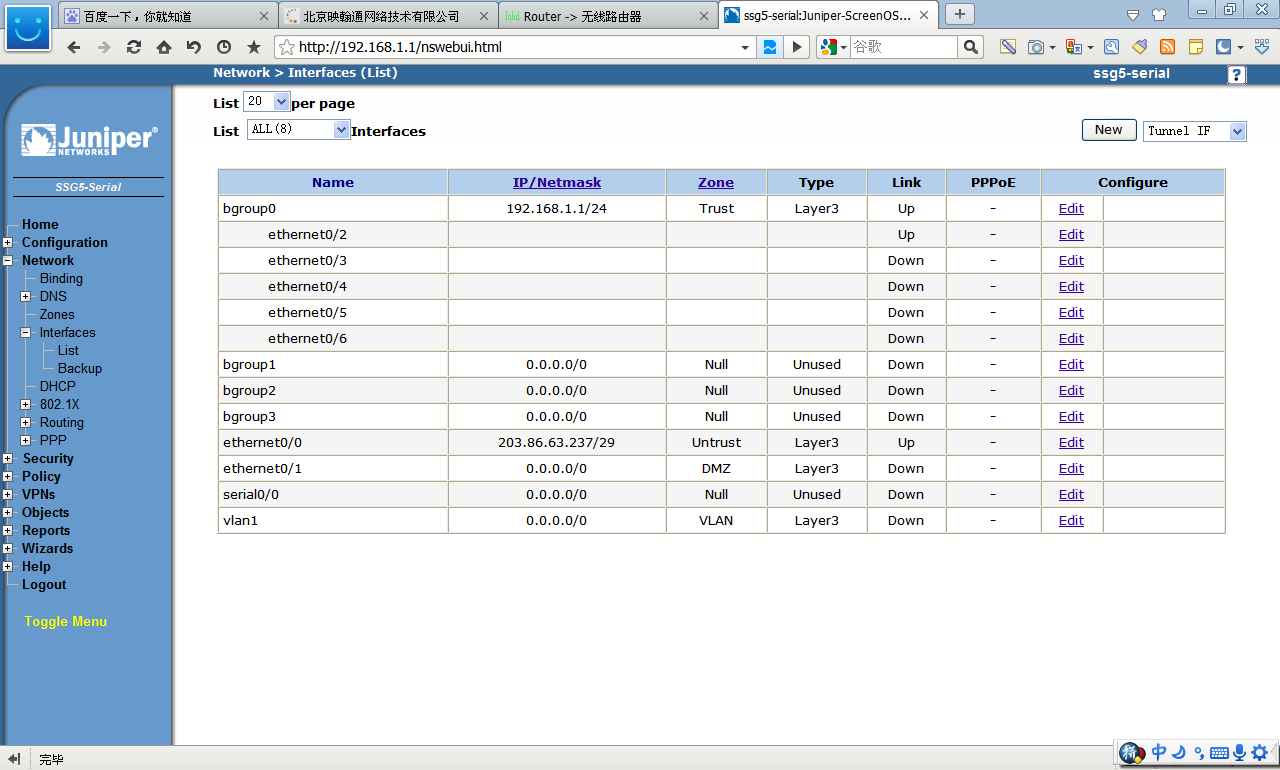 点击NEW
点击NEW
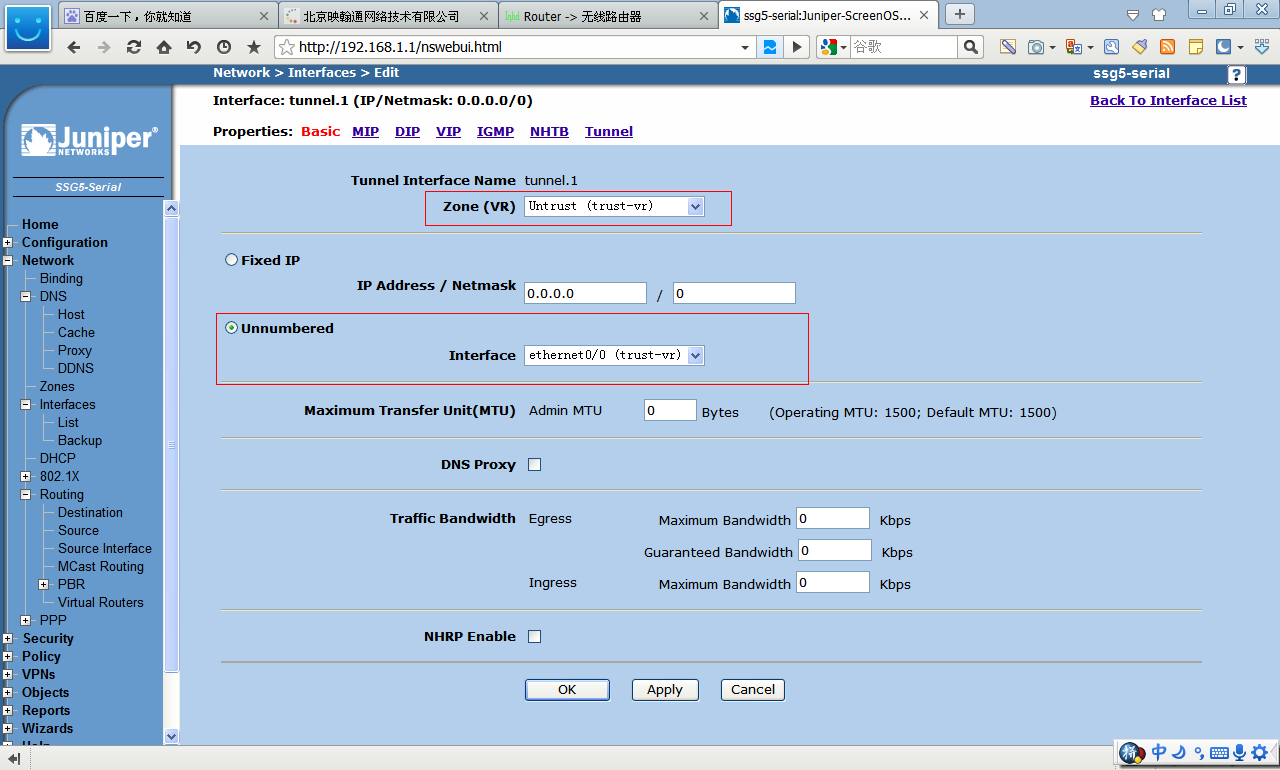 2 IPSec配置
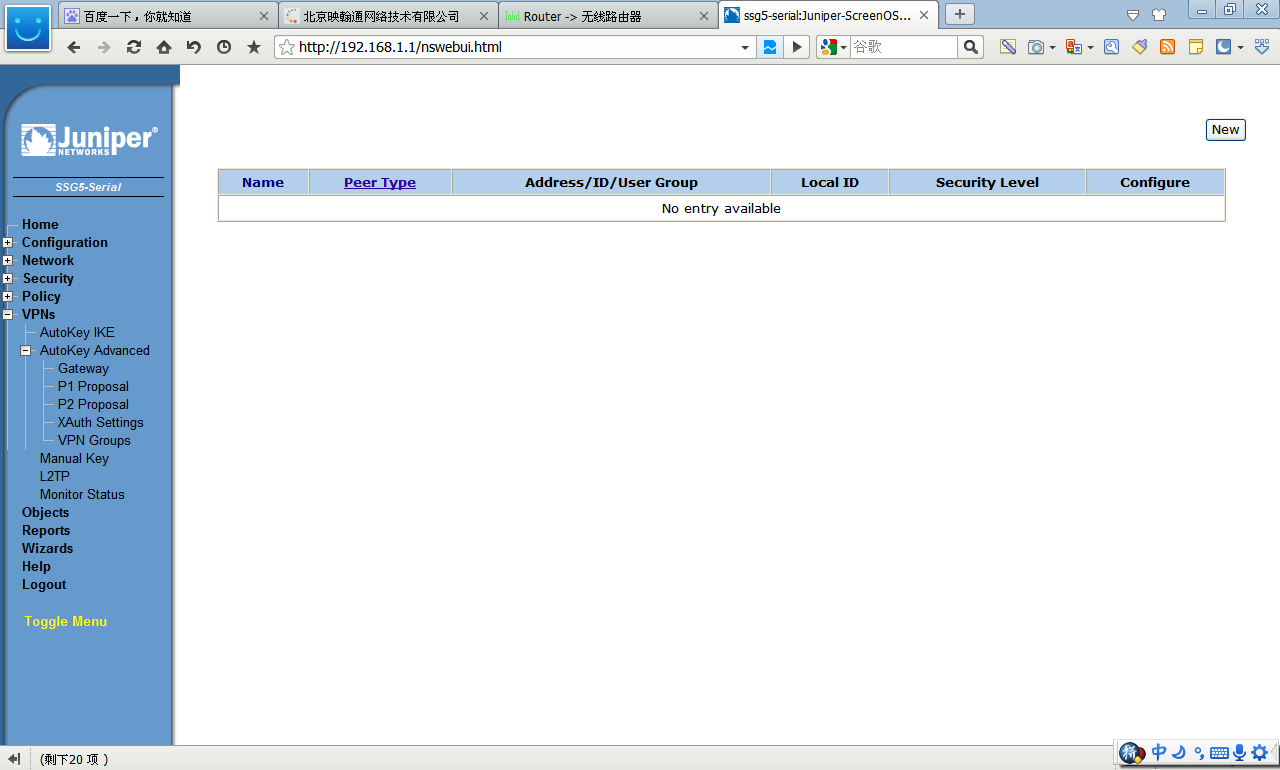
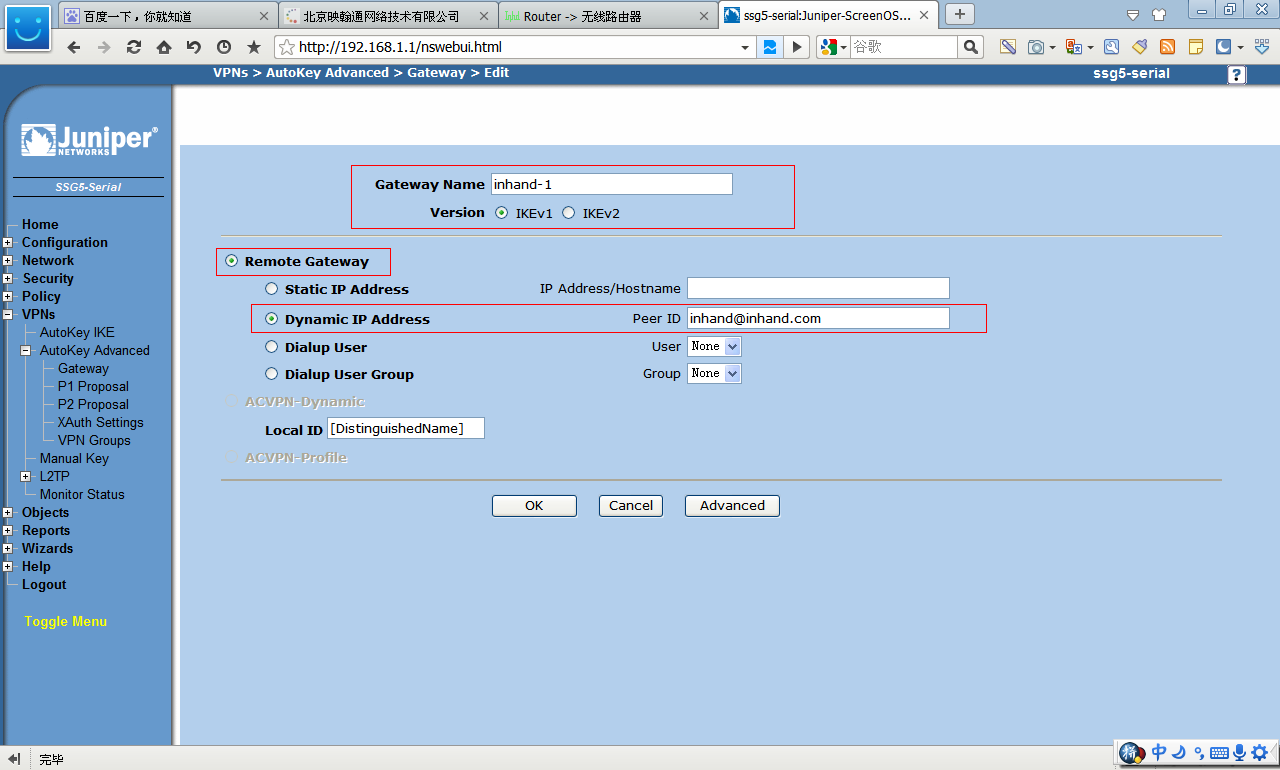
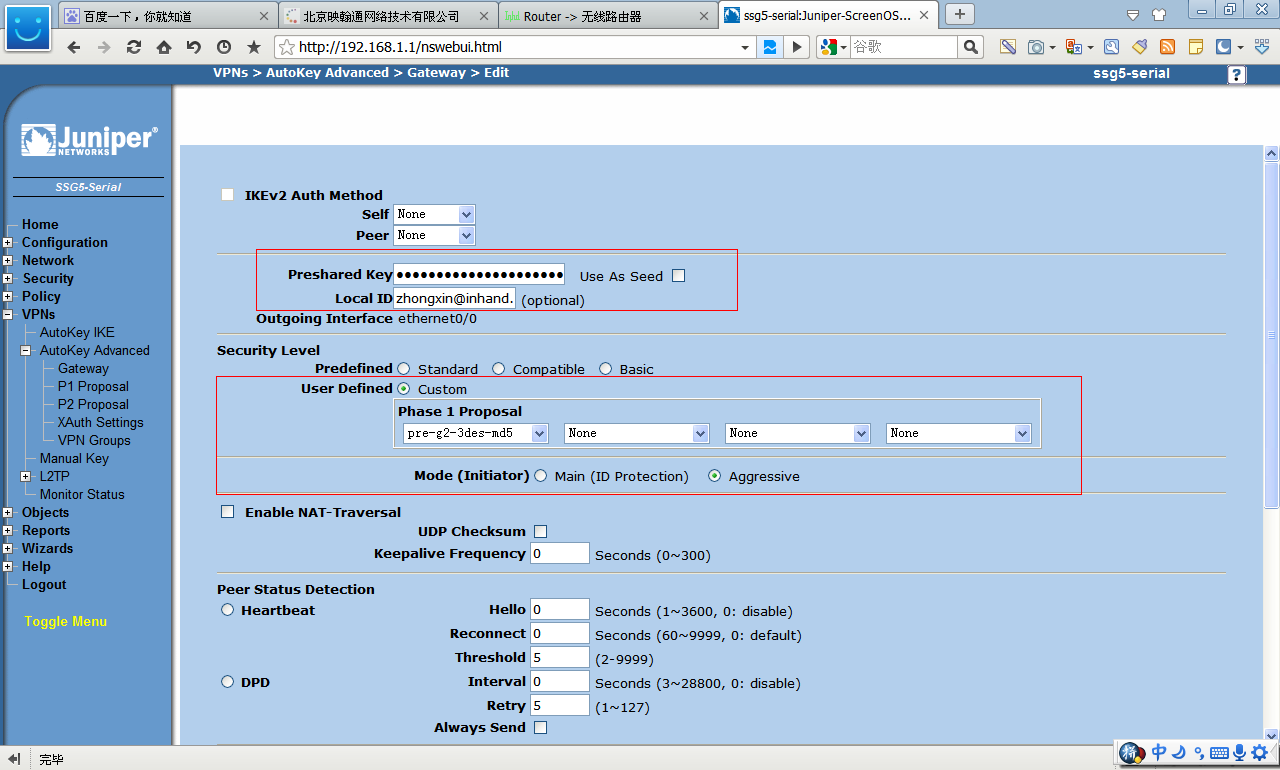
2.1建立IPSecvpn第一阶段
VPNsAutokeyAdvancedGateway
2 IPSec配置
2.1建立IPSecvpn第一阶段
VPNsAutokeyAdvancedGateway
 2.2建立IPSecvpn第二阶段
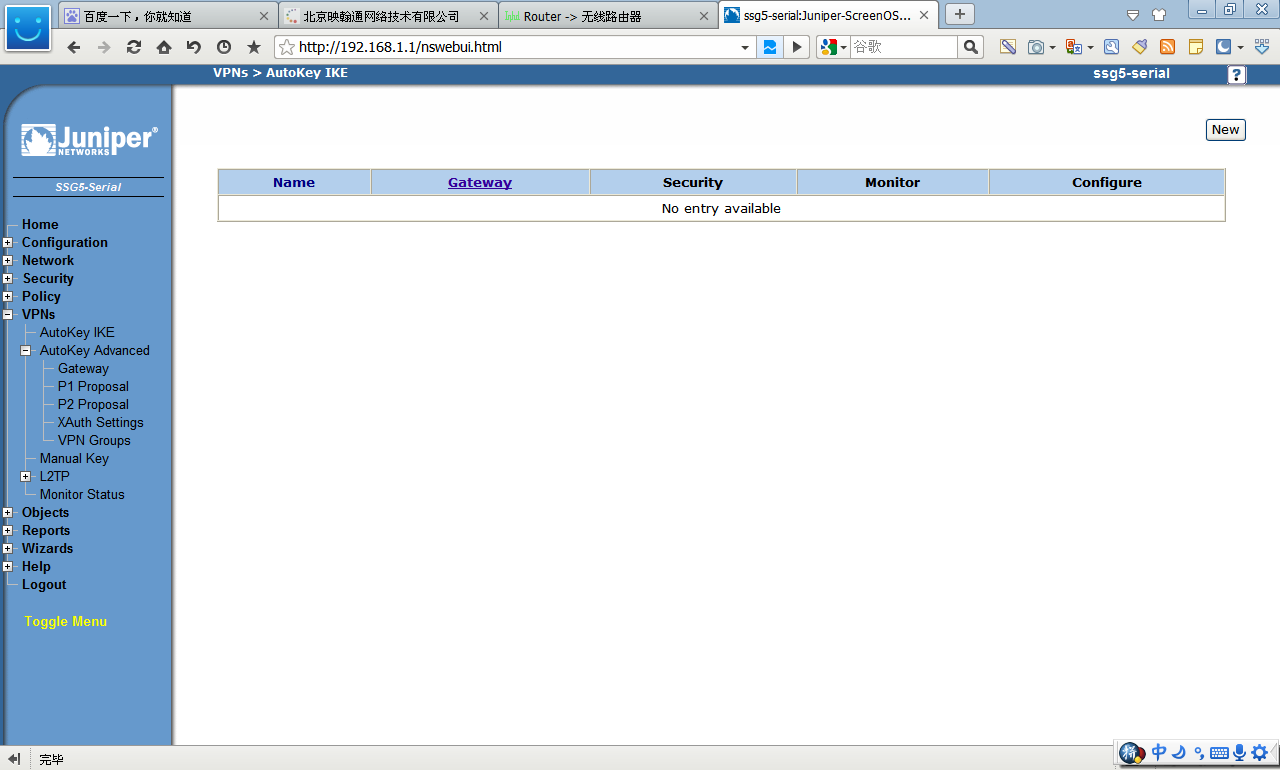
vpnsautokeyike
2.2建立IPSecvpn第二阶段
vpnsautokeyike
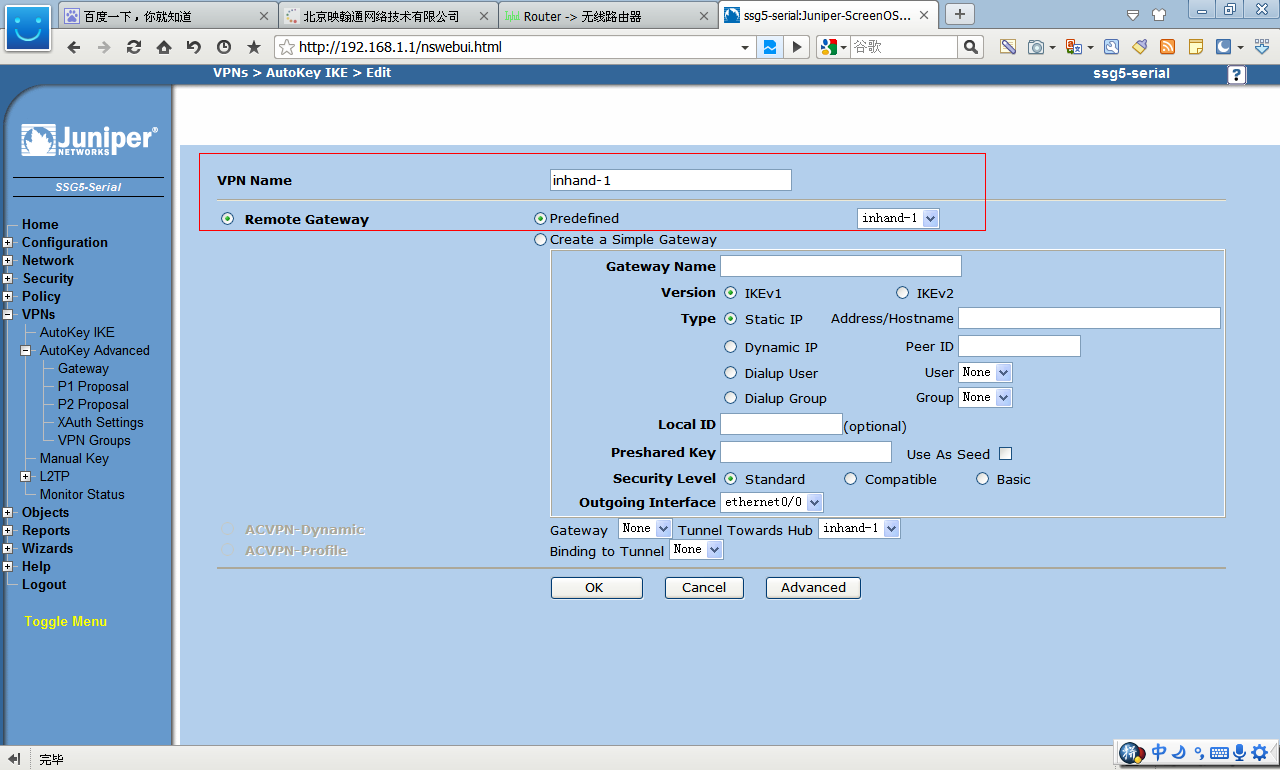
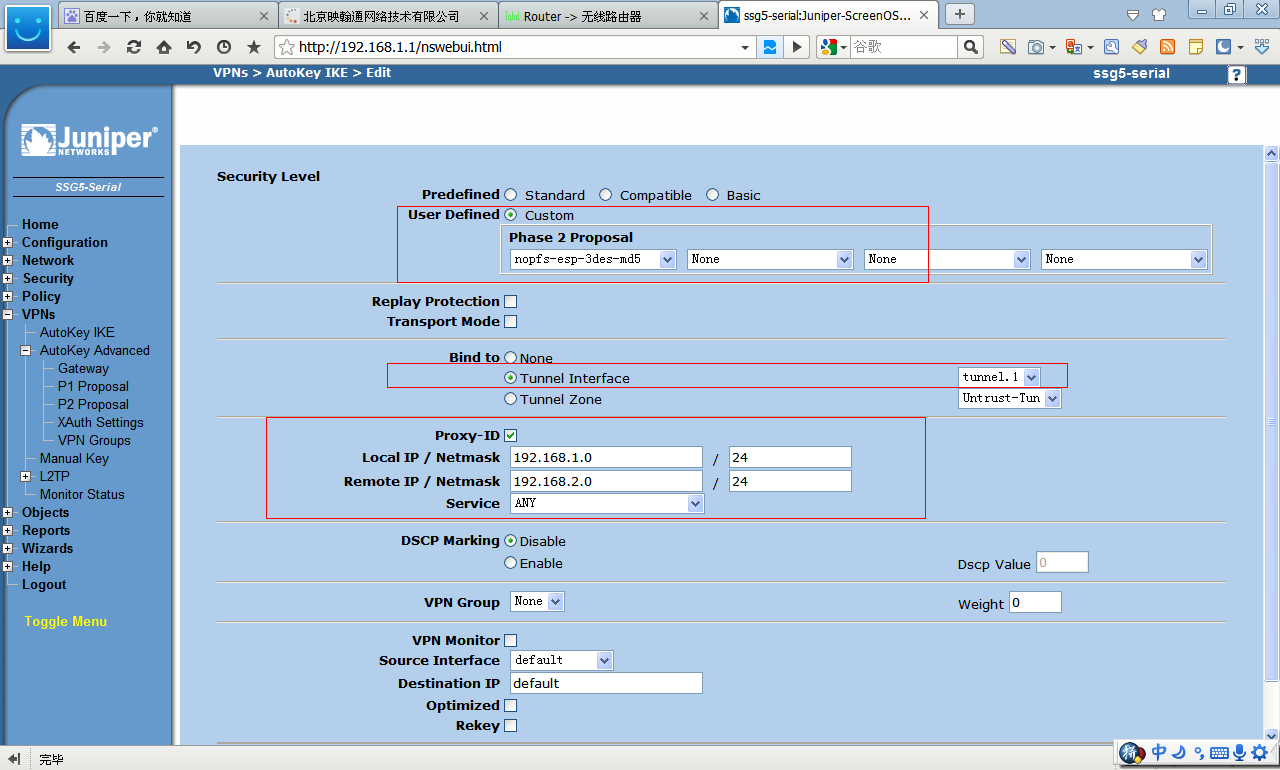 3 建立安全策略
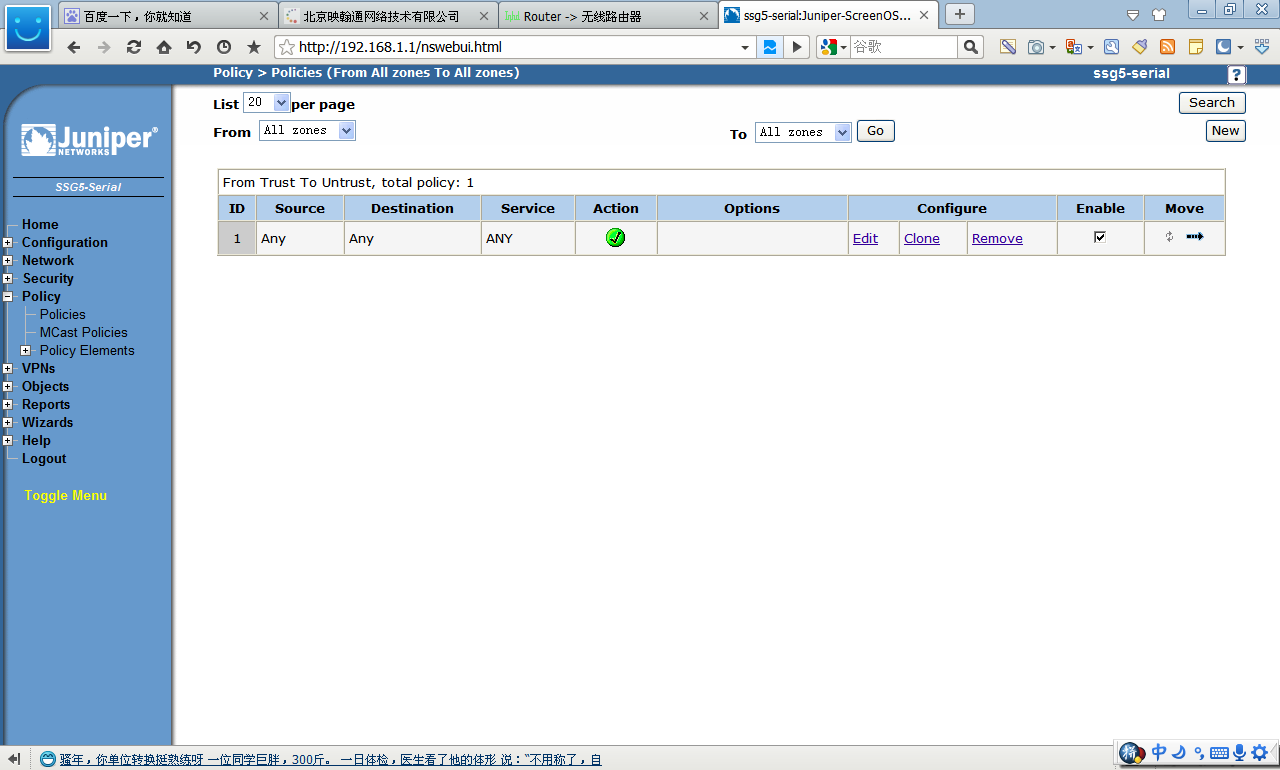 3.1TRUST---UNTRUST
选择fromTRUSTtoUNTRUST
如果对于新的地址段,则可以选择“NEW Address”方式添加
源地址填写防火墙内网地址,目的地址填写无线路由器内网地址
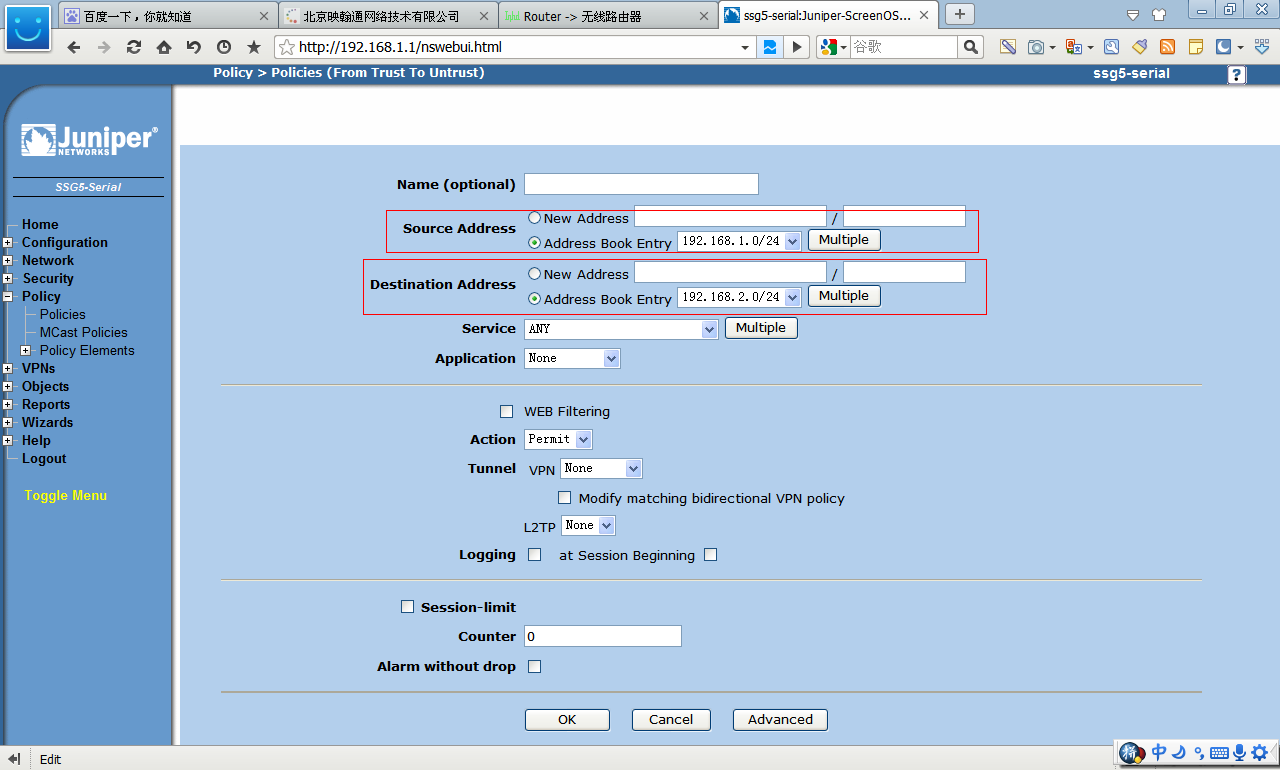
3.1TRUST---UNTRUST
选择fromTRUSTtoUNTRUST
如果对于新的地址段,则可以选择“NEW Address”方式添加
源地址填写防火墙内网地址,目的地址填写无线路由器内网地址
 3.2UNTRUST---TRUST
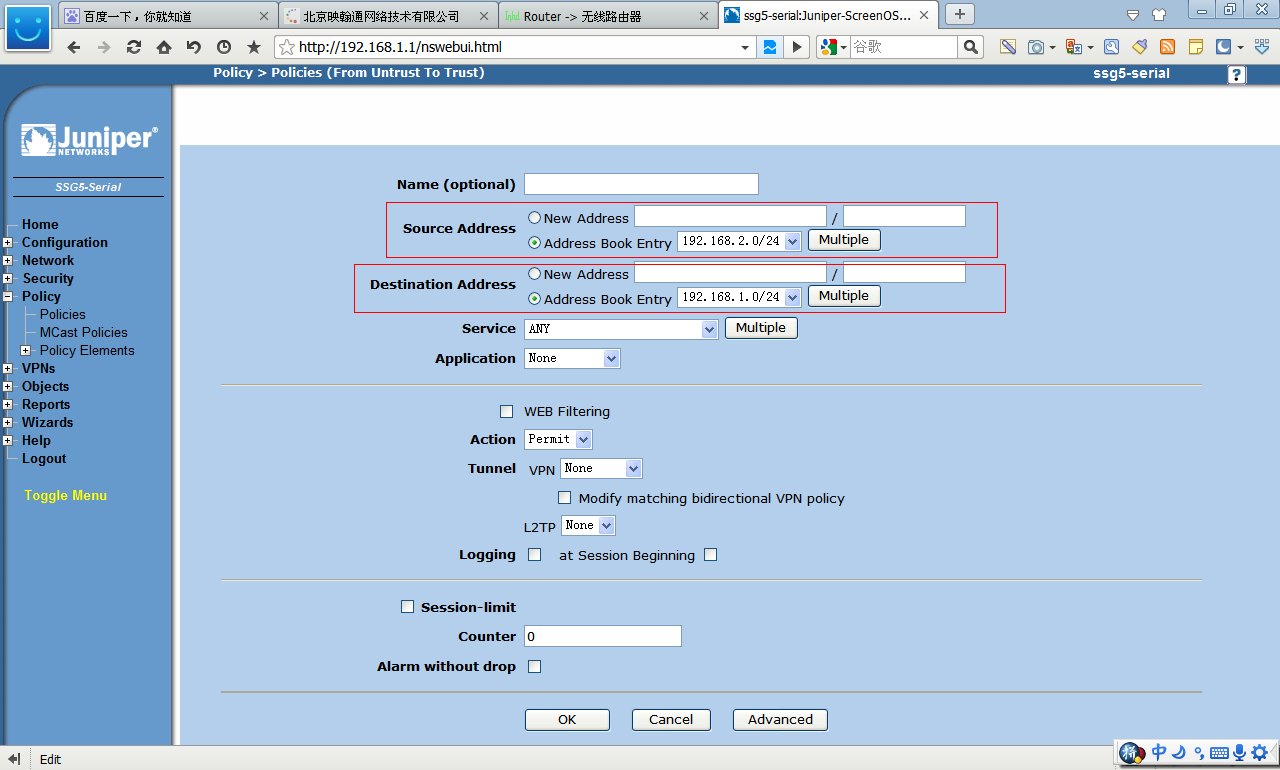
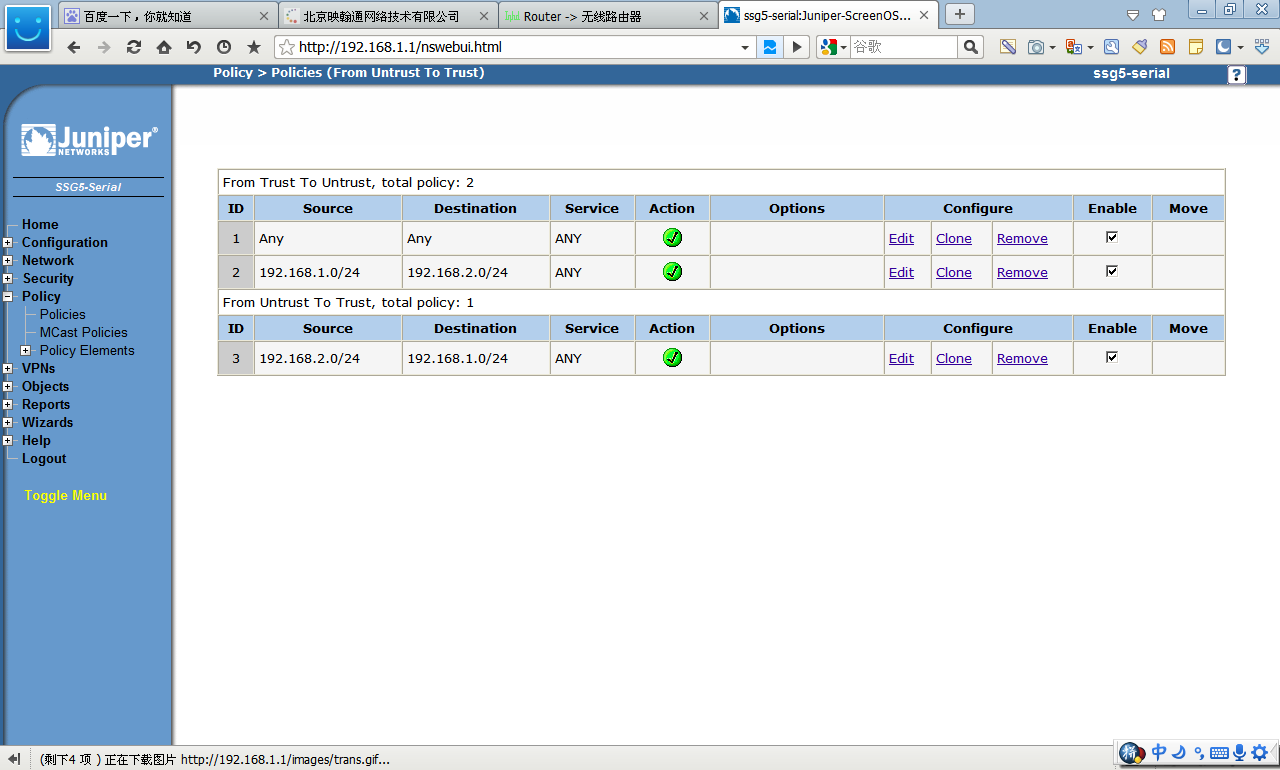 4建立路由
Network=routering-destination
4建立路由
Network=routering-destination
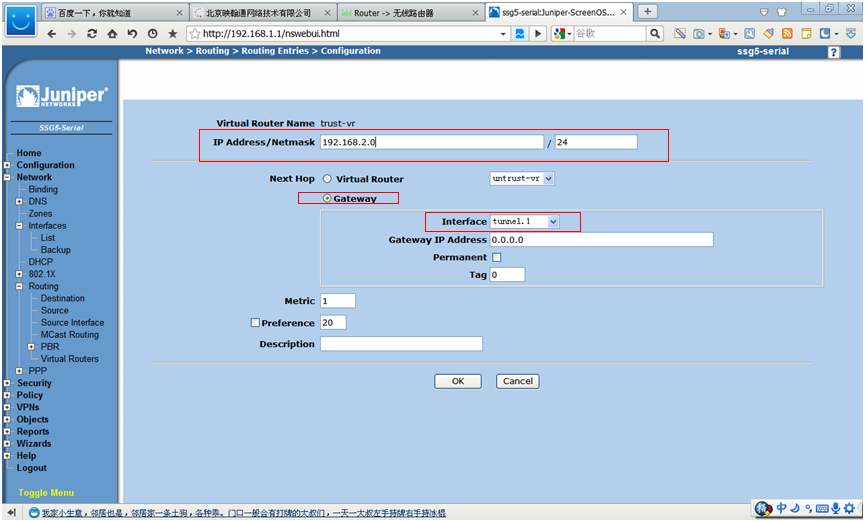
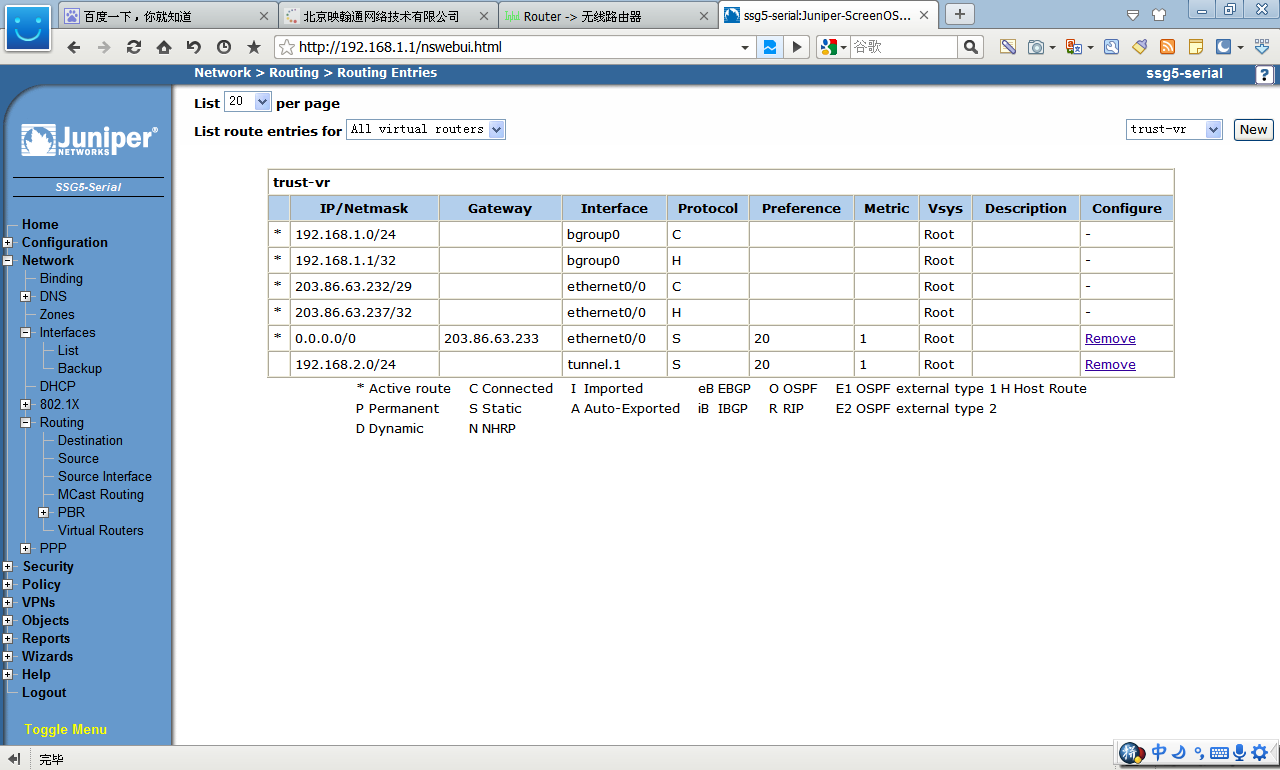 北京映翰通无线路由器配置
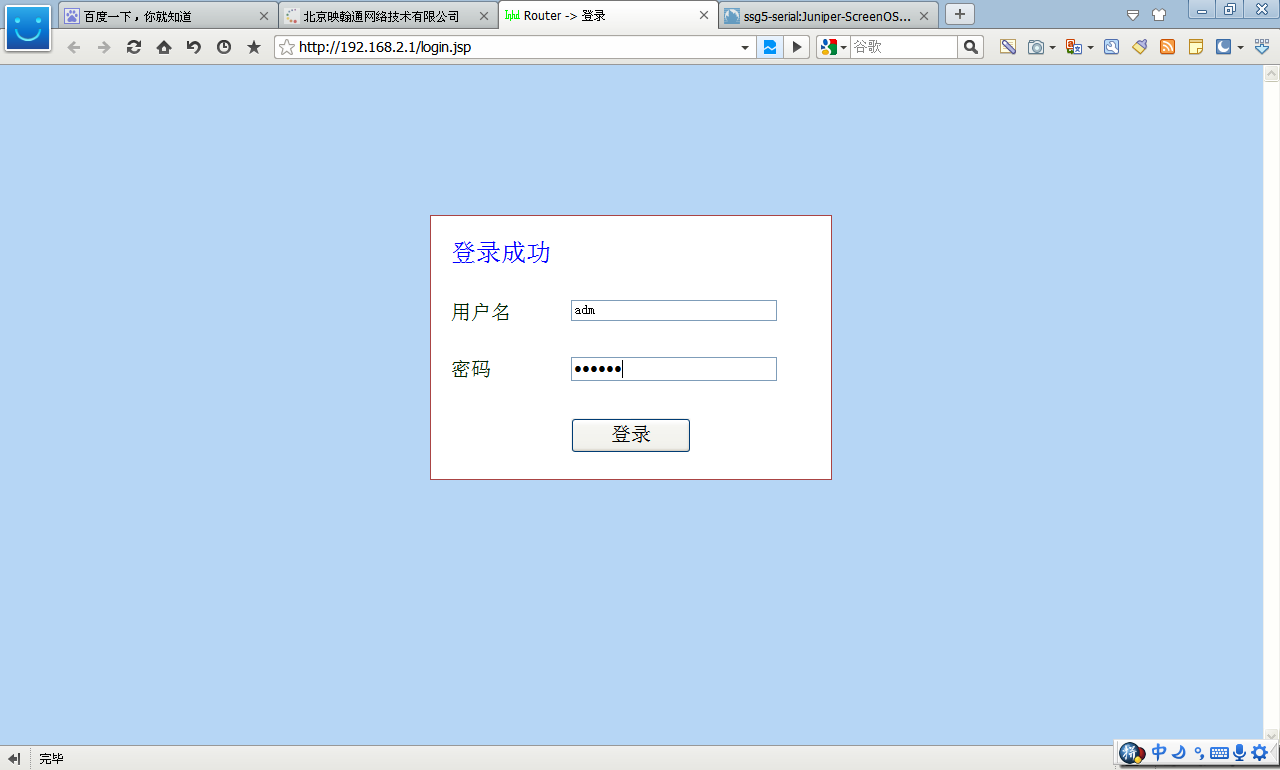
登录 IP地址是192.168.2.1 用户名:adm 密码123456
北京映翰通无线路由器配置
登录 IP地址是192.168.2.1 用户名:adm 密码123456
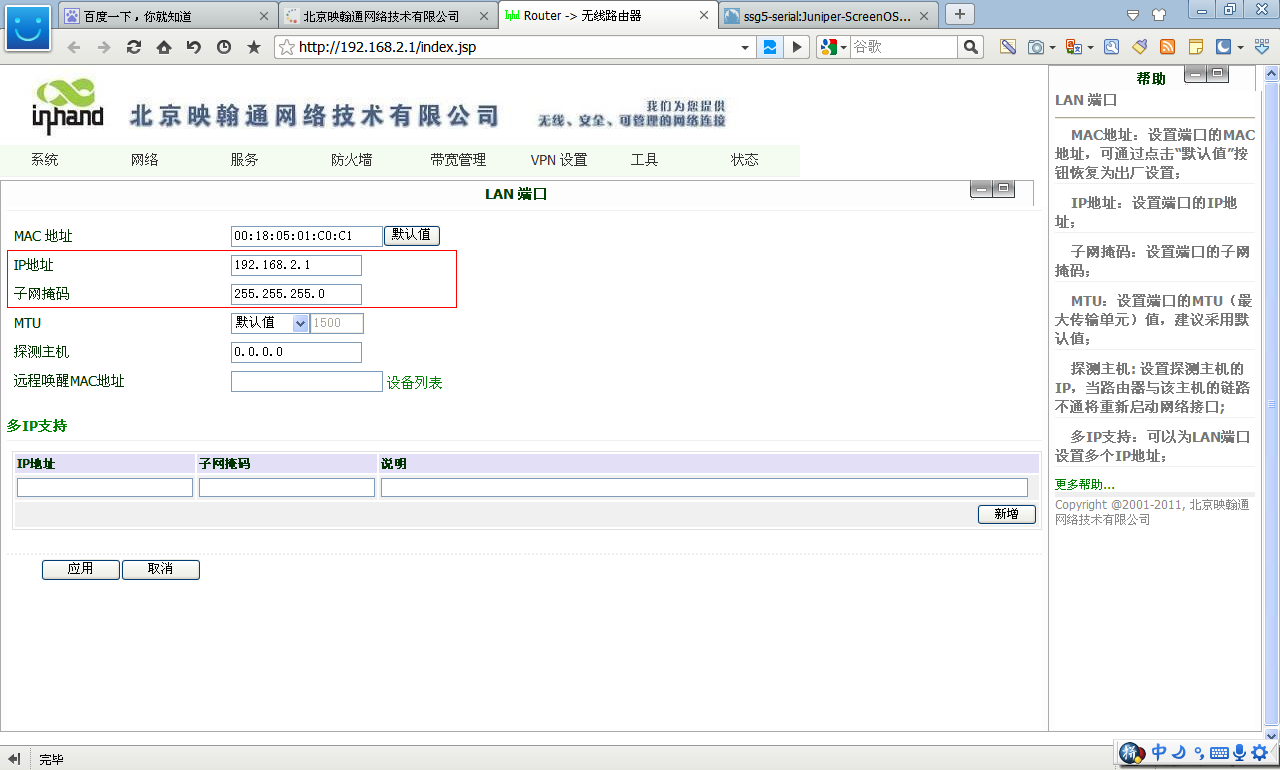
 1 无线路由器LAN基本配置参数
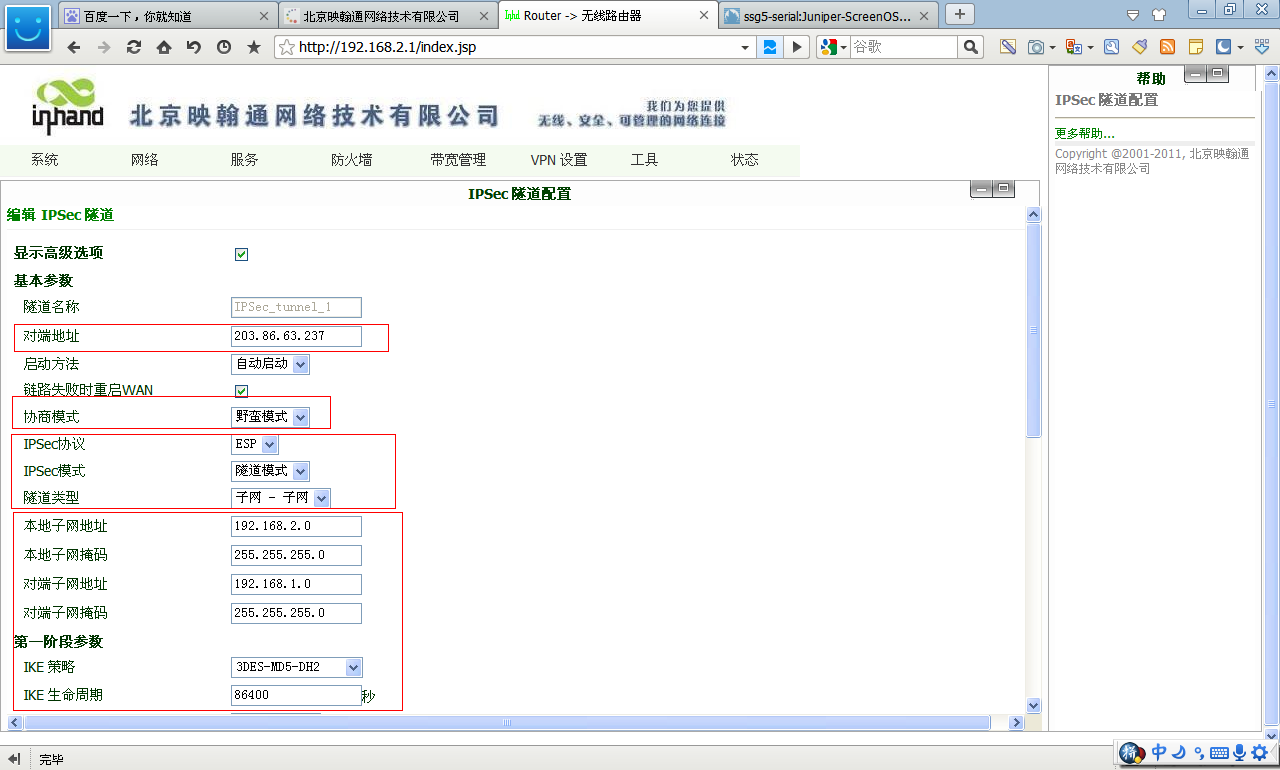
 2 无线路由器VPN配置参数
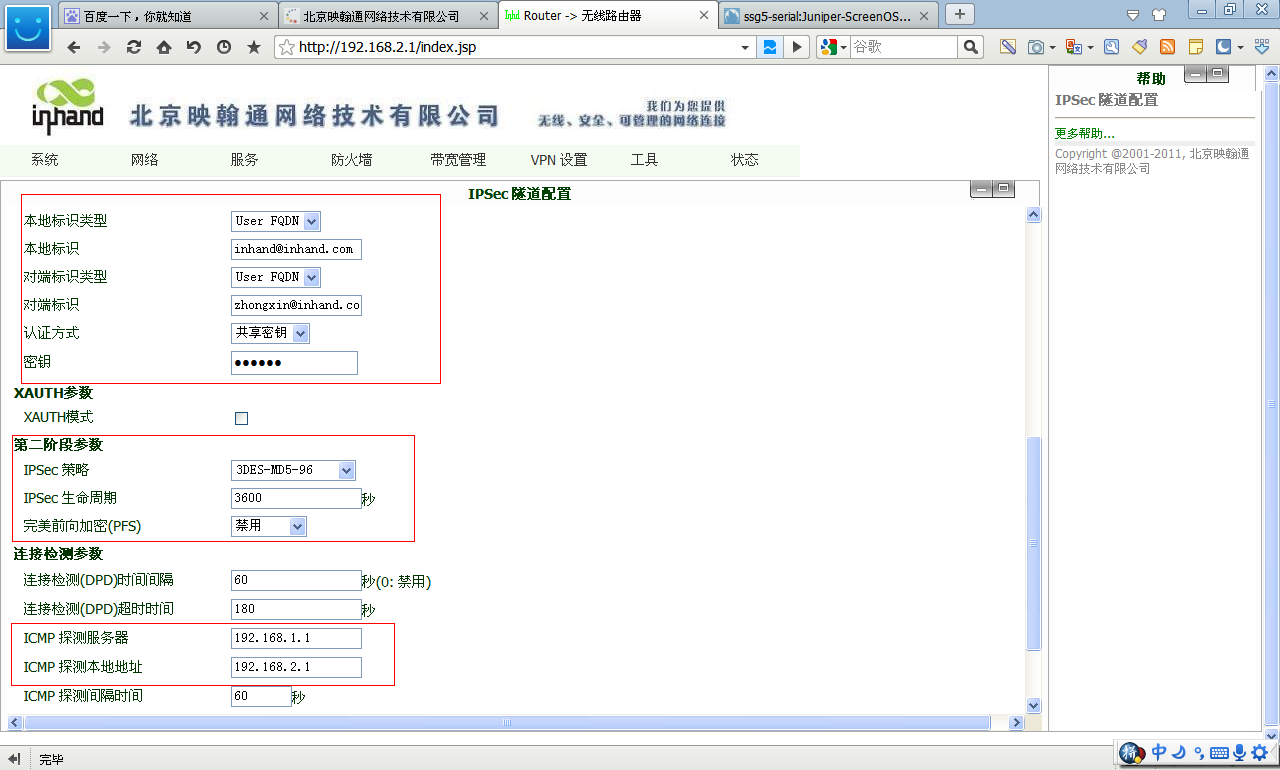 本地标识:inhand@inhand.com
对端标识:zhongxin@inhand.com
共享密钥是123456
3 无线路由器建立IPSec vpn的成功标识
本地标识:inhand@inhand.com
对端标识:zhongxin@inhand.com
共享密钥是123456
3 无线路由器建立IPSec vpn的成功标识
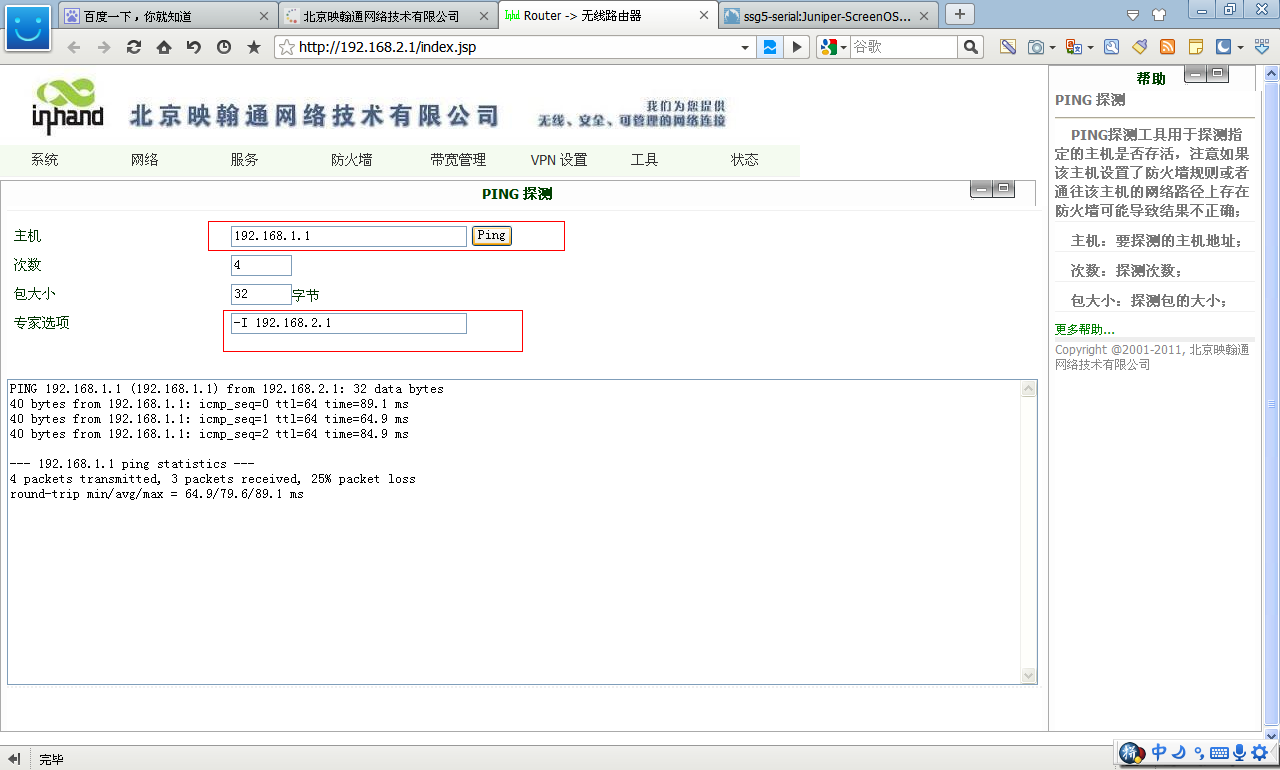
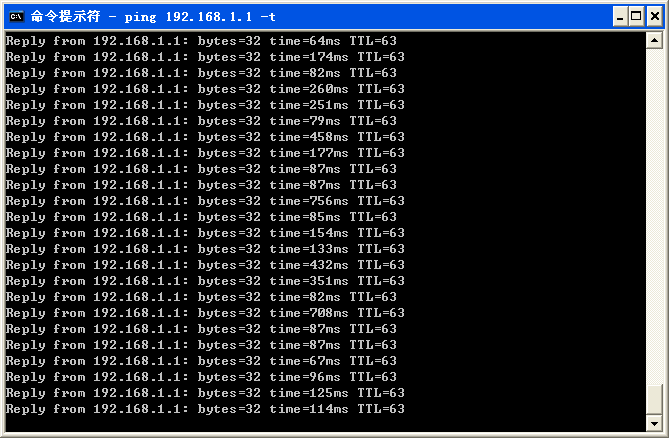
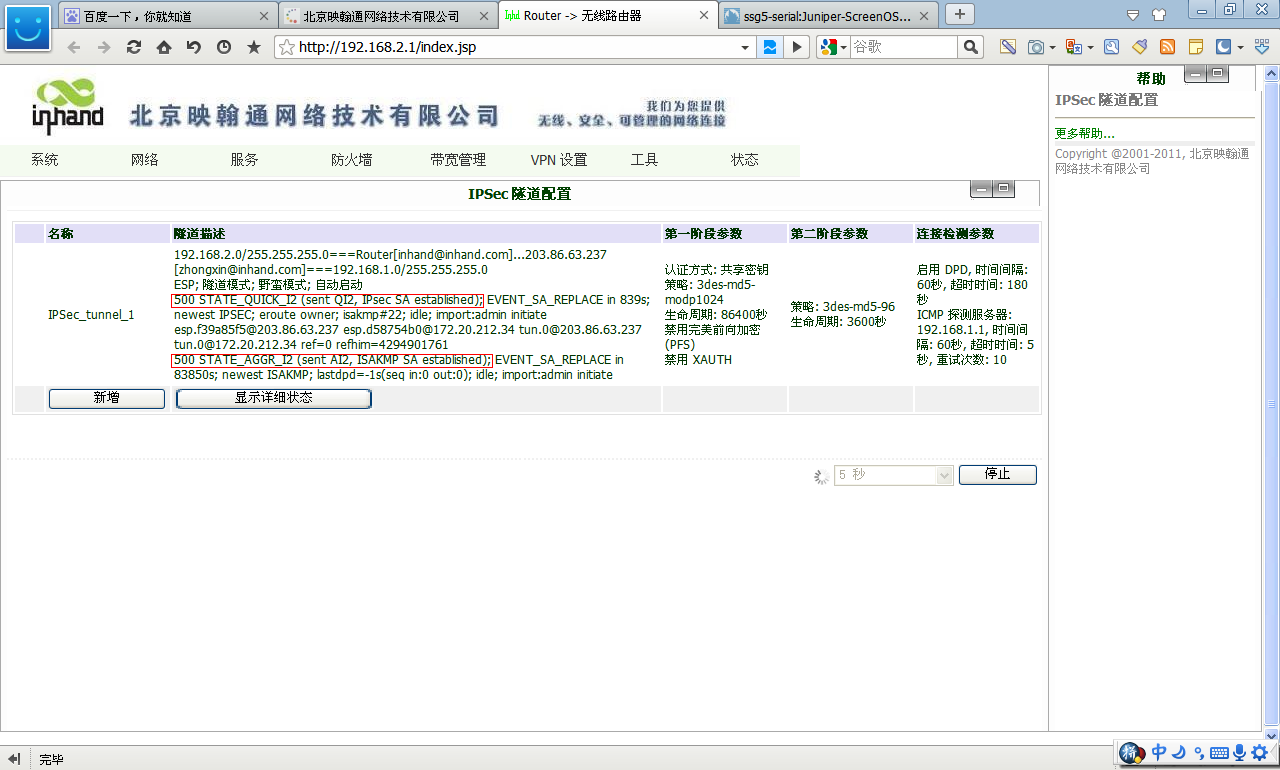 4 无线路由器建立VPN成功之后,能够ping同防火墙LAN地址


全部 0条评论