
Cisco L2TP 配置
-

-
Sol.Sun 这家伙很懒,还没有设置简介
0 人点赞了该文章 · 5316 浏览
Server
Cisco Router 参考配置:
aaa new-model
aaa authentication login default local //配置本地认证
aaa authentication enable default enable
aaa authentication ppp default local
aaa authorization network default local
Vpdn enable
vpdn-group l2tp
! Default L2TP VPDN group
accept-dialin
protocol l2tp
virtual-template 2
no l2tp tunnel authentication //不使用隧道认证
username xxx password 0 xxx // 配置登陆用户名密码
interface FastEthernet0/0 // 公网网口
ip address 203.86.63.XXX 255.255.255.248
interface FastEthernet0/1 //内网网口
ip address 172.16.1.1 255.255.255.0
interface Virtual-Template2
ip unnumbered FastEthernet0/0
peer default ip address pool l2tp // L2TP Client 调用的地址池
ppp authentication chap // 认证方式
ip local pool l2tp 172.16.1.190 172.16.1.195 // L2TP Client 地址池
Windows 7 Client 配置
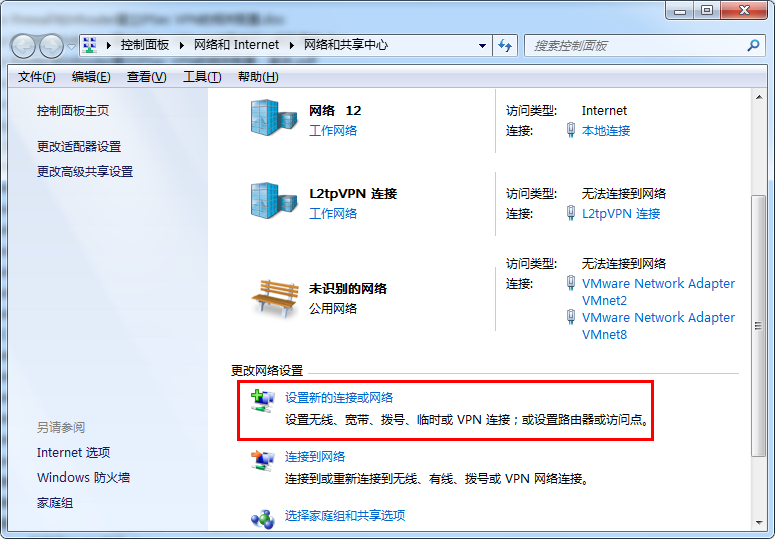
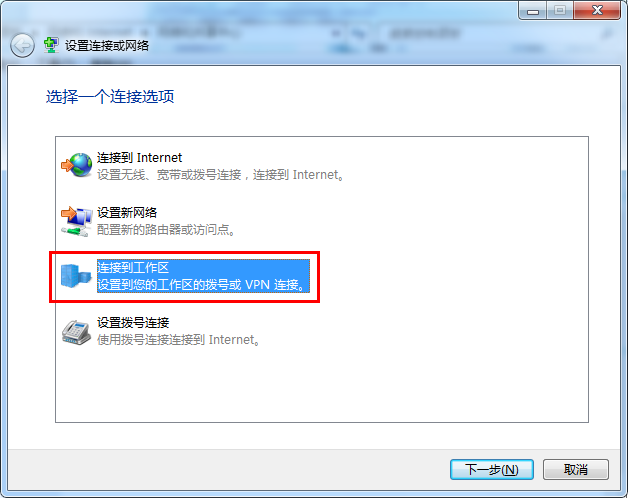
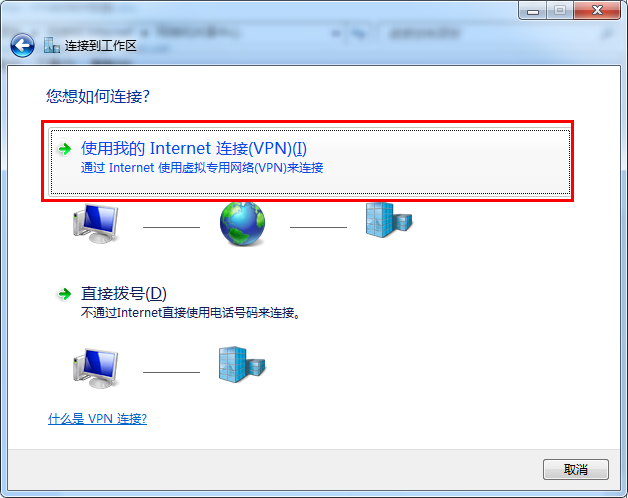
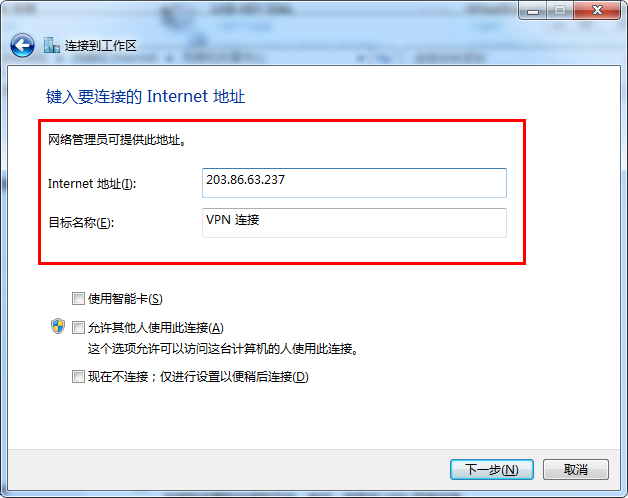
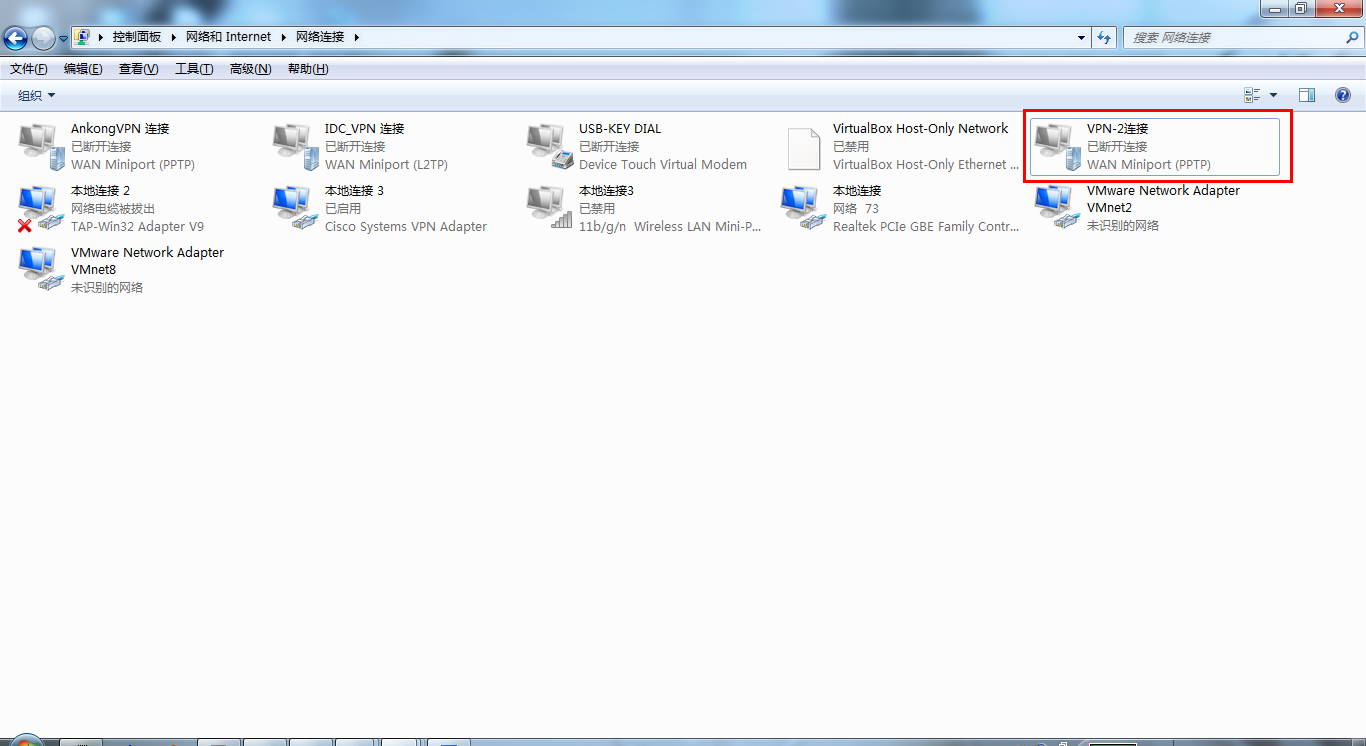
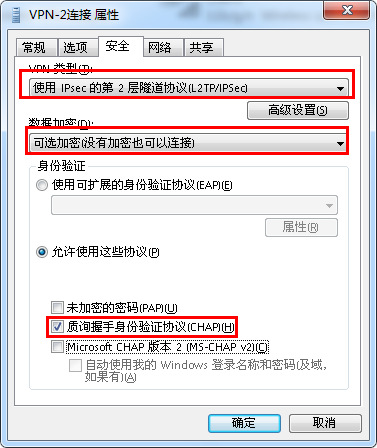
 运行:cmd
命令:route print
运行:cmd
命令:route print
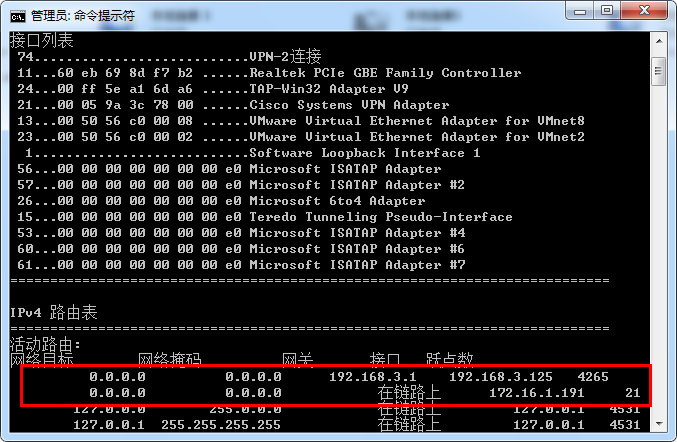 通信测试
通信测试
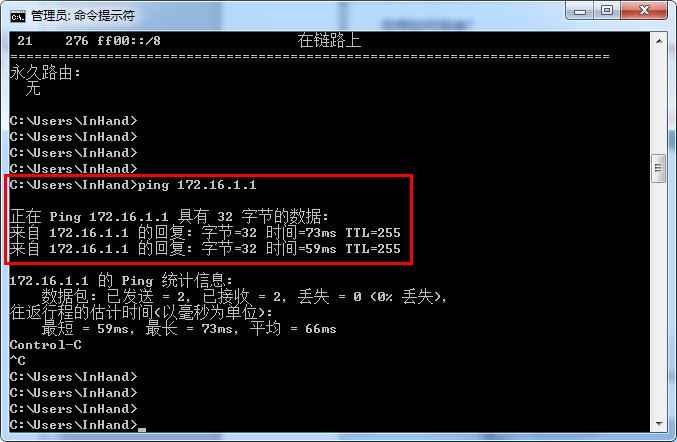


全部 0条评论