
IP814-l2TP-Client
-

-
Sol.Sun 这家伙很懒,还没有设置简介
0 人点赞了该文章 · 4701 浏览
IP814 L2TP 配置
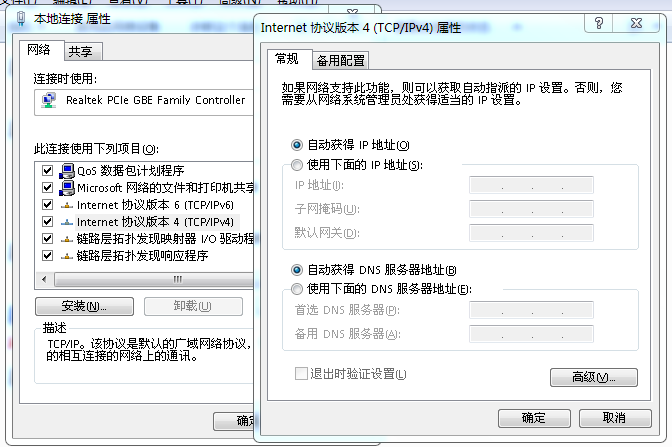
计算机本地连接设置为“自动获取IP”
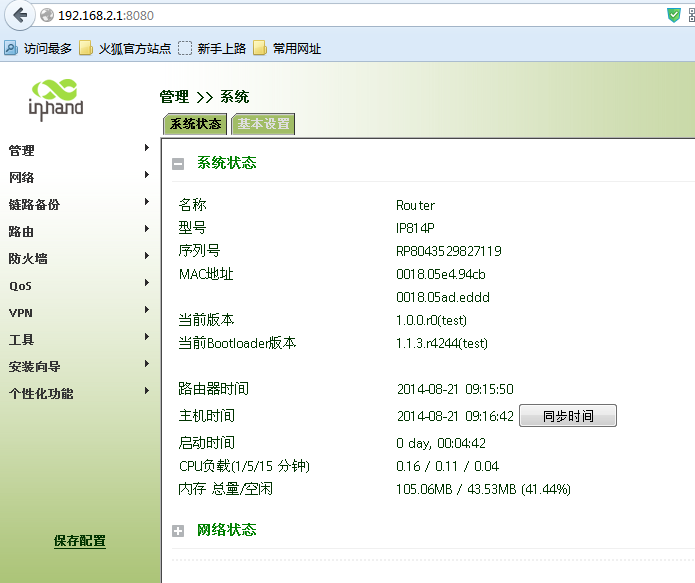
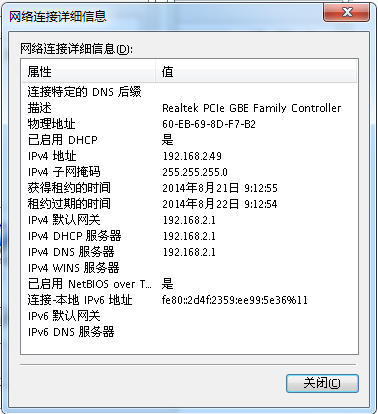 使用浏览器打开http://192.168.2.1:8080/
用户名 adm
密码 123456
使用浏览器打开http://192.168.2.1:8080/
用户名 adm
密码 123456
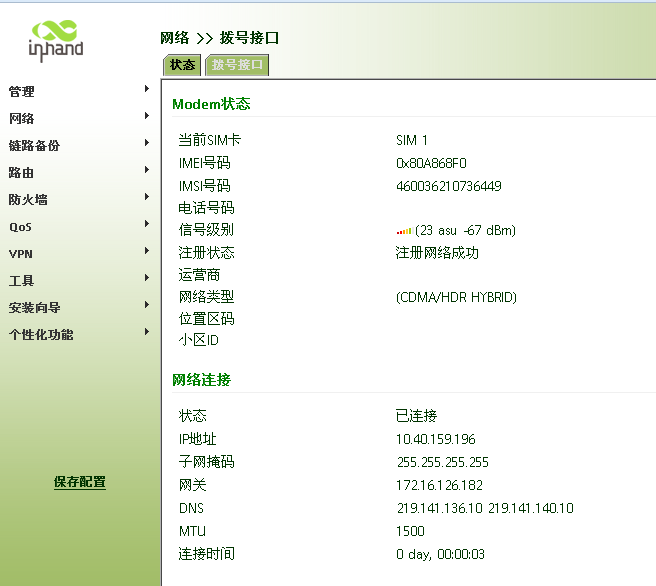
 查看无线网络拨号
 建立L2TP VPN
Server
Cisco Router 参考配置:
vpdn-group l2tp
! Default L2TP VPDN group
accept-dialin
protocol l2tp
virtual-template 2
no l2tp tunnel authentication //不使用隧道认证
username sunzd password 0 sunzd
interface FastEthernet0/0 // 公网网口
ip address 203.86.63.237 255.255.255.248
interface FastEthernet0/1 //内网网口
ip address 172.16.1.1 255.255.255.0
interface Virtual-Template2
ip unnumbered FastEthernet0/0
peer default ip address pool l2tp // L2TP Client 调用的地址池
ppp authentication chap // 认证方式
ip route 192.168.2.0 255.255.255.0 172.16.1.191 // 去往3G路由器LAN接口路由
ip local pool l2tp 172.16.1.190 172.16.1.195 // L2TP Client 地址池
H3C MSR 参考配置
password simple sunzd service-type ppp sunzd //为分支创建用户 local-user pc
l2tp-group 1 //L2TP组
undo tunnel authentication //不进行隧道验证
allow l2tp virtual-template 0
interface Virtual-Template0 //用户进行ppp的chap认证
ppp authentication-mode chap
remote address pool 1
ip address 172.16.1.191 255.255.255.248
interface GigabitEthernet0/0 port link-mode route
ip address 203.86.63.238 255.255.255.248
ip route-static 192.168.2.0 255.255.255.0 172.16.1.191
Client 配置
建立L2TP VPN
Server
Cisco Router 参考配置:
vpdn-group l2tp
! Default L2TP VPDN group
accept-dialin
protocol l2tp
virtual-template 2
no l2tp tunnel authentication //不使用隧道认证
username sunzd password 0 sunzd
interface FastEthernet0/0 // 公网网口
ip address 203.86.63.237 255.255.255.248
interface FastEthernet0/1 //内网网口
ip address 172.16.1.1 255.255.255.0
interface Virtual-Template2
ip unnumbered FastEthernet0/0
peer default ip address pool l2tp // L2TP Client 调用的地址池
ppp authentication chap // 认证方式
ip route 192.168.2.0 255.255.255.0 172.16.1.191 // 去往3G路由器LAN接口路由
ip local pool l2tp 172.16.1.190 172.16.1.195 // L2TP Client 地址池
H3C MSR 参考配置
password simple sunzd service-type ppp sunzd //为分支创建用户 local-user pc
l2tp-group 1 //L2TP组
undo tunnel authentication //不进行隧道验证
allow l2tp virtual-template 0
interface Virtual-Template0 //用户进行ppp的chap认证
ppp authentication-mode chap
remote address pool 1
ip address 172.16.1.191 255.255.255.248
interface GigabitEthernet0/0 port link-mode route
ip address 203.86.63.238 255.255.255.248
ip route-static 192.168.2.0 255.255.255.0 172.16.1.191
Client 配置
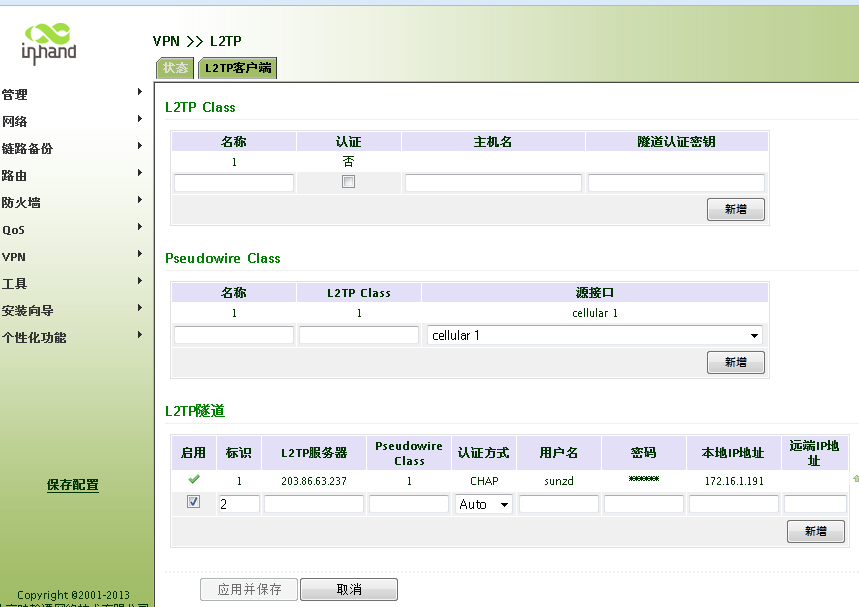 L2TP Class
名称 1
认证 否
Pseudowire Class
名称1
L2tp class 1
源接口 cellular
L2TP隧道
启用
标识 1
L2TP服务 203.86.63.237
Pseudowire Class 1
认证方式 chap
用户名 sunzd
密码 XXXX
本地IP 172.16.1.191 // 此IP为Server 路由器L2TP 地址池中的一个IP
L2TP Class
名称 1
认证 否
Pseudowire Class
名称1
L2tp class 1
源接口 cellular
L2TP隧道
启用
标识 1
L2TP服务 203.86.63.237
Pseudowire Class 1
认证方式 chap
用户名 sunzd
密码 XXXX
本地IP 172.16.1.191 // 此IP为Server 路由器L2TP 地址池中的一个IP
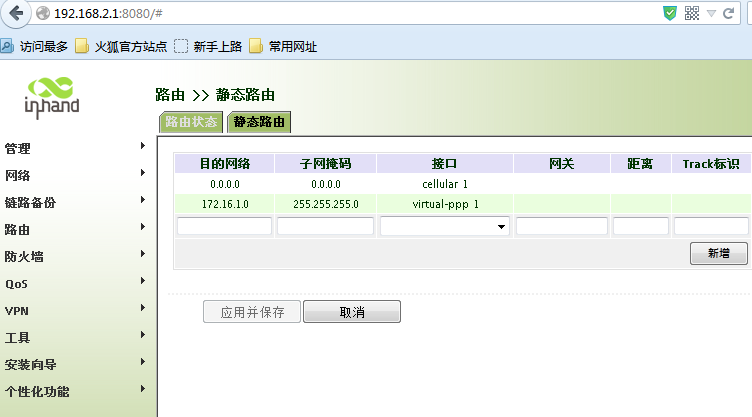 添加静态路由
网络-路由-静态路由
172.16.1.0 255.255.255.0 virtual-ppp 1 //去往Server LAN 网段路由从接口virtual-ppp 1出去。
点击新增-应用
添加静态路由
网络-路由-静态路由
172.16.1.0 255.255.255.0 virtual-ppp 1 //去往Server LAN 网段路由从接口virtual-ppp 1出去。
点击新增-应用
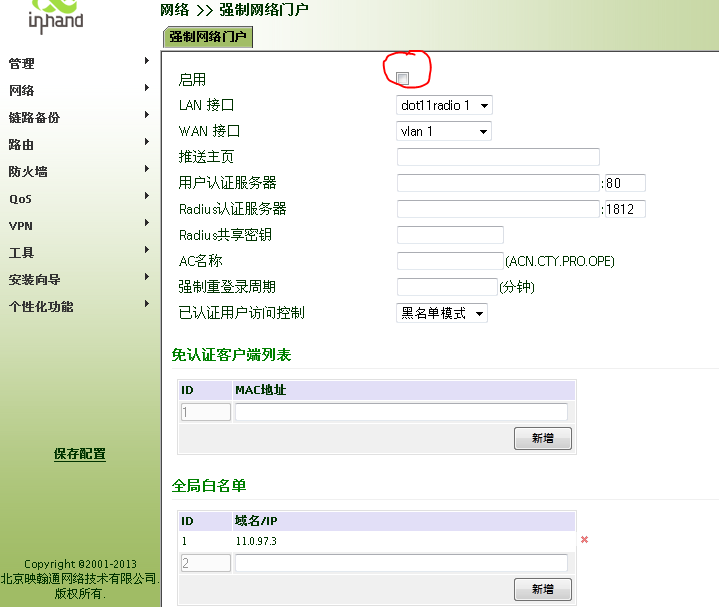
 WIFI 接口配置
网络-强制网络门户
启用 (不勾选)
WIFI 接口配置
网络-强制网络门户
启用 (不勾选)
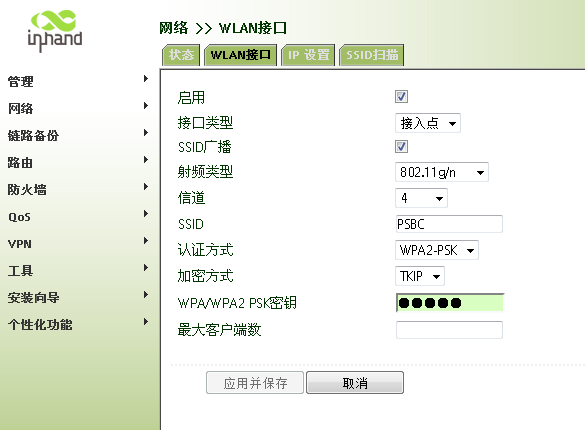
 WIFI 网络密码设置
SSID为 无线WIFI的的名称,就是计算机无线网卡扫描的热点的名称。
加密秘钥方式可以根据需要设定。
WIFI 网络密码设置
SSID为 无线WIFI的的名称,就是计算机无线网卡扫描的热点的名称。
加密秘钥方式可以根据需要设定。


全部 0条评论