
VPN配置WIN7_PPTP(L2TP)客户端
-

-
Sol.Sun 这家伙很懒,还没有设置简介
0 人点赞了该文章 · 6221 浏览
VPN—如何配置Win7 PPTP(L2TP)客户端?
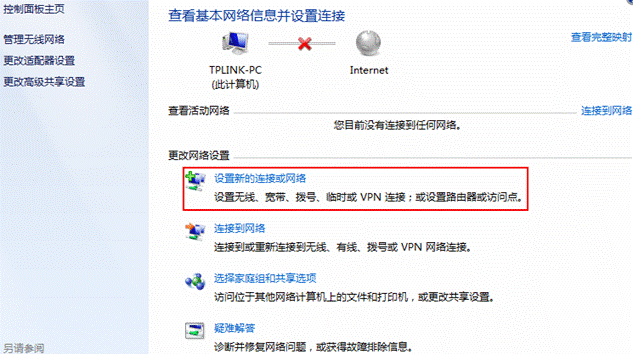
1)、点击任务栏“开始”→“控制面板”→“网络和Internet”→ “网络和共享中心”,点击更改网络设置中的“设置新的连接或网络”图标。
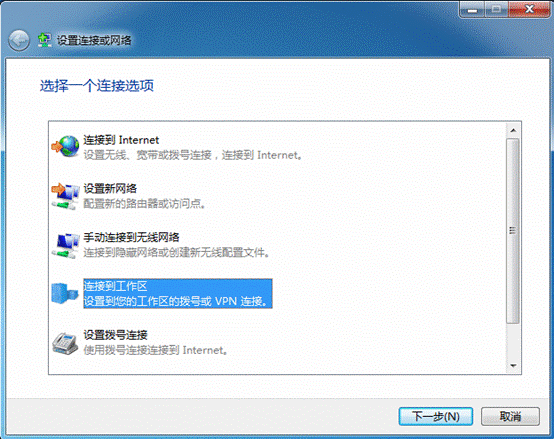
 2)、“选择一个连接选项”选择“连接到工作区”。
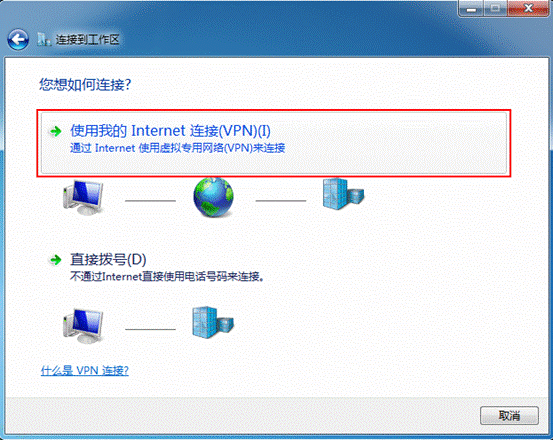
 3)、“您想如何连接?”选择“使用我的Internet连接(VPN)”。
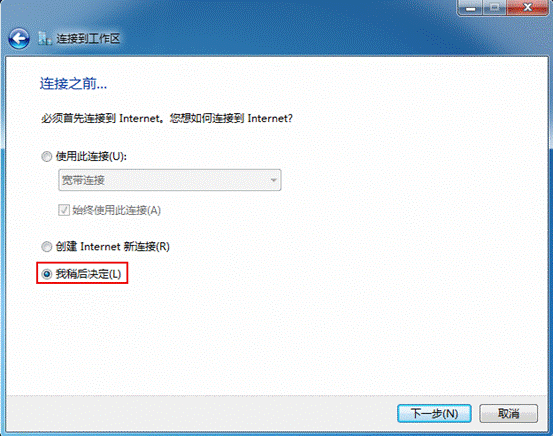
 4)、“连接之前…”,选择“我稍后决定”。
 5)、“键入要连接的Internet地址”中输入服务器的IP地址或者域名。
 6)、 “键入您的用户名和密码“中可以选择不填或者填入VPN拨号所使用的用户名和密码。
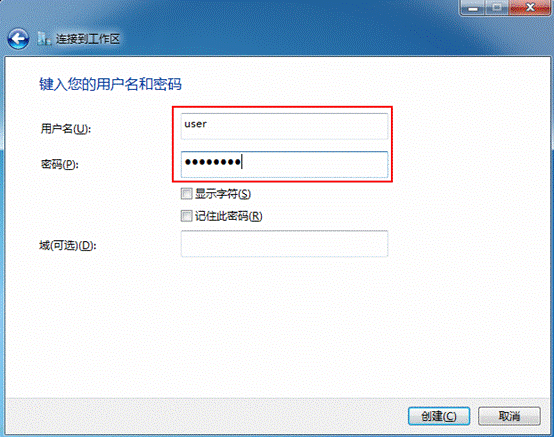 7)、点击创建,一个新的VPN连接就建立成功了。
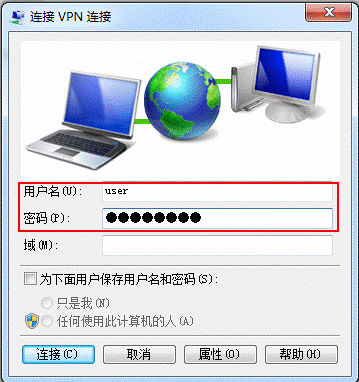
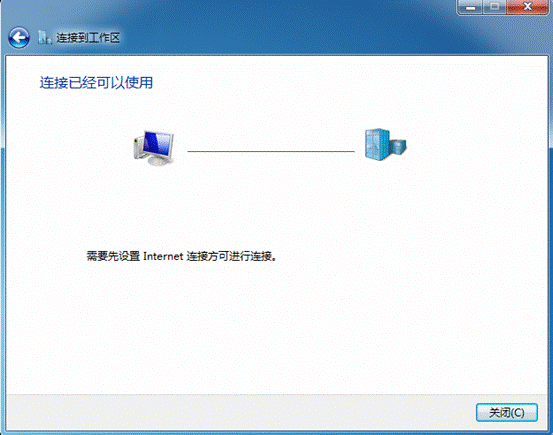 8)、返回网络和共享中心,选择更改适配器设置,找到刚建立的VPN连接拨号客户端,输入用户名和密码,点击“连接”按钮就额可以进行VPN拨号。


全部 0条评论